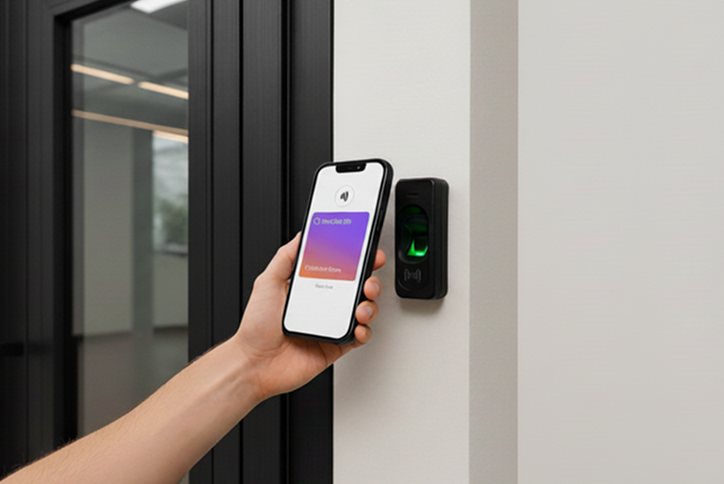
Office keys are now in your phone: Integration with Google Wallet
TimeClock 365 introduces a new feature: direct integration with Google Wallet. Now your employees’ smartphones turn into secure digital keys for our cloud-based access control system (ACS).
No more printing badges, replacing lost RFID tags, or worrying about unauthorized access. Now, in addition to existing RFID cards or biometrics, users can enter the premises using their mobile phones. This is the most secure access method, utilizing protected protocols from Google.
Why switch to mobile access?
Hybrid format
The feature works in parallel with your existing cards and readers
Cloud management
Issue and revoke passes remotely in seconds through the TimeClock 365 control panel
Instant entry
Employees don’t need to open an app. Simply hold the phone up to the reader — as easy as paying for a purchase in a store.
Maximum security
Built-in security features of iPhone and Android are used. Copying such a key is much harder than copying a regular plastic card
How it works: Setup in 3 steps
We made the pass issuance process as simple as possible. No complex programming — everything is done in just a couple of clicks
Step 1: Admin sends an invitation
Log in to the TimeClock 365 control panel, go to the Users section. Select the required employee and click the “Send Credentials” button
Step 2: Employee receives an email
The user instantly receives an email from TimeClock 365 with their unique link to the digital key.
Step 3: Add to wallet
The employee opens the email on their smartphone and clicks “Add to Google Wallet” Voilà! Now they have a branded access card right inside their familiar wallet app.
Step 4: Enter the premises
Now the user can approach any door they have access to, tap their phone to the reader, and the door will open
Full control for the administrator
After the card is added to the employee’s smartphone, you retain full control over their access via the cloud:
Assign doors
In a couple of clicks, grant access to the main entrance, parking, or server room
Instant blocking
If an employee leaves or loses their phone, you can revoke access in the admin panel. The digital key will stop working instantly — no need to wait for the return of a physical card.
Access logs
All entries made via phone are automatically recorded in TimeClock 365 reports, just like regular tags.
Ready to upgrade your security system?
Stop managing plastic — start managing access. Enable mobile keys for your team today