
Time tracking for remote teams: GPS, Teams and web
Your team works from home, client sites and the road. Give them a one-click way to punch in - and get verified hours in one report, ready for payroll.
- GPS & geofence
- Teams & Slack
- ISO 27001 certified
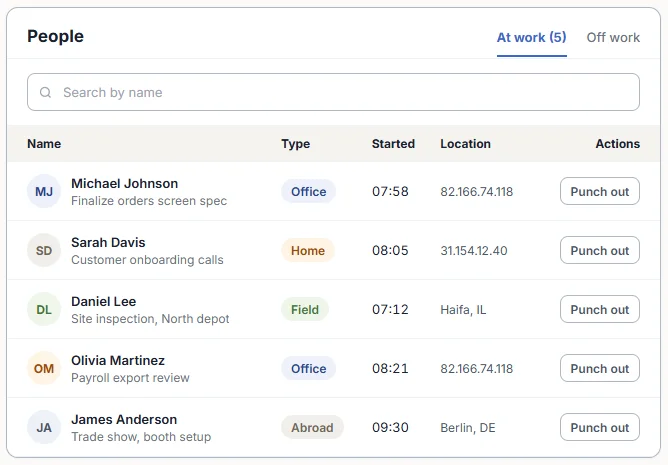
What is time tracking for remote teams?
It's how employees who don't share an office record their working hours - and how managers know those hours are real. Instead of messages and spreadsheets, each person punches in from the tool they already use, and the system adds location, breaks and overtime.
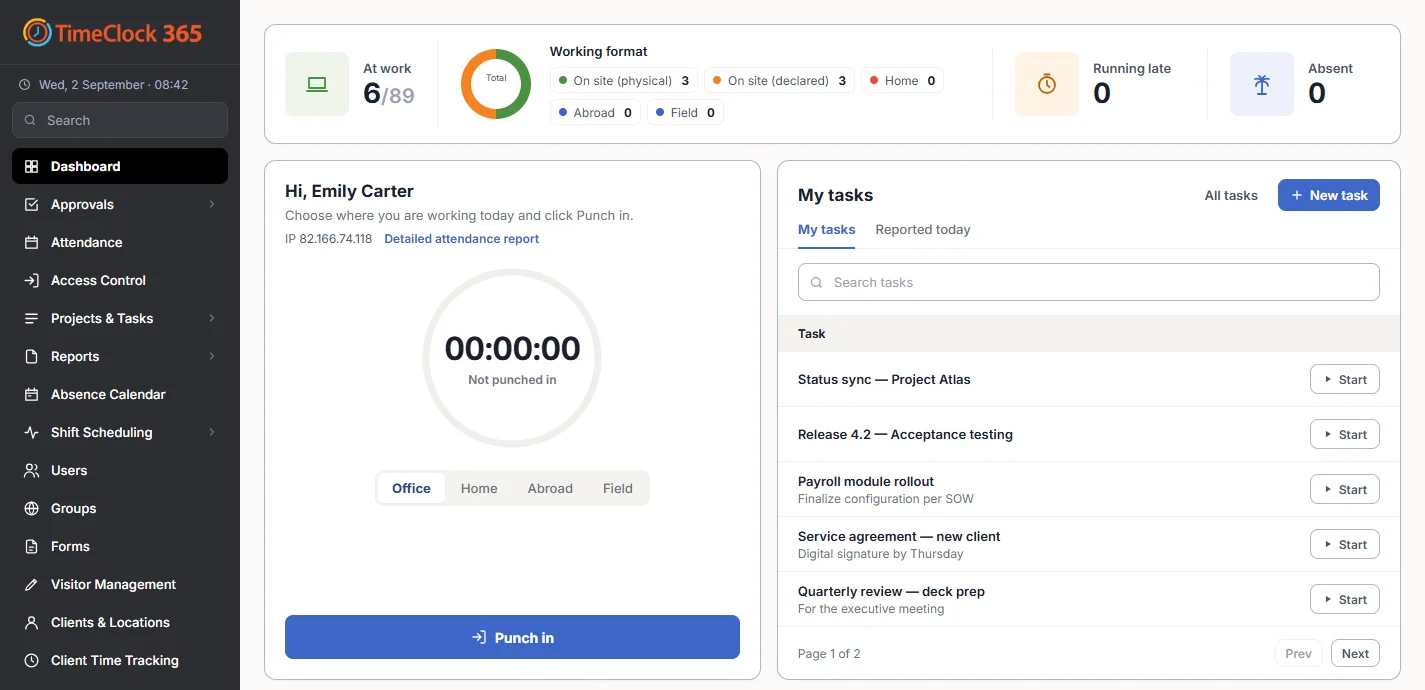
With TimeClock 365, every punch - from a phone, Teams, Slack, a browser or the office door - lands in the same cloud timesheet.
Clock-in methods
Punch in from wherever the work is
Mobile app with GPS
iOS and Android. Every punch records its location.
💬Microsoft Teams
Punch in, pick Home or Office, track tasks - inside Teams.
#Slack
/punchin and /punchout from any channel.
🧩Chrome extension
Punch in from the browser toolbar.
🌐Web portal
Any browser, no install. Limit to the office IP if needed.
🚪The office door
On office days, the door entry is the clock-in.
Location-based time tracking
Know punches happened in the right place
Remote doesn't have to mean unverified. Set up job sites and client locations with a radius, and decide what happens when someone punches in outside it.
- GPS location on every mobile punch
- Geofence per site - block or allow with a notification
- Show on the map next to each punch in the timecard
- Live tracking module for field teams - working hours only
From punch to payroll
Remote hours, payroll-ready
- 1
Punch in
From the app, Teams, Slack, the web or the door.
- 2
Rules applied
Breaks and overtime from each employee's contract.
- 3
Manager approves
Fix missed punches and approve the timesheet.
- 4
Export
To QuickBooks, HiBob, GreytHR or a payroll file.
Pricing
Door access control from $1.90 per user / month
Attendance from $3.90, Attendance + Access Control $4.90 per user / month, billed annually. 14-day free trial, no credit card.
Frequently asked questions
How do you track time for remote teams?
With TimeClock 365, remote employees punch in and out from the web portal, the iOS or Android app, Microsoft Teams, Slack or the Chrome extension. Every punch goes into one cloud attendance report, where breaks and overtime are calculated from each employee's contract and managers approve hours before payroll.
What is location-based time tracking?
Location-based time tracking records where an employee was when they punched in. The TimeClock 365 mobile app records the GPS location of every punch, and each site can have a geofence with a radius. You choose whether punches outside the area are blocked or allowed with a notification.
Can remote employees clock in from Microsoft Teams?
Yes. With the free TimeClock 365 app for Microsoft Teams, employees punch in, choose Home or Office and track time on tasks without leaving Teams. Administrators can see who is currently at work.
Can I stop remote employees clocking in from the wrong place?
Yes. Mobile punches can be limited to a geofence around a site, and web punches can be limited to the office IP address. Hybrid employees choose Home or Office when they punch in, so the report shows where each day was worked.
Does TimeClock 365 track employees all day?
Not by default. Punches carry a location. Continuous location tracking is a separate module that runs only during working hours, only for employees you enable, at the interval you set.
How do remote hours get to payroll?
Hours, overtime and absences are calculated per employee. After approval, export them to QuickBooks, HiBob or GreytHR, or download a file for other payroll systems.
What about hybrid teams who also come to the office?
On office days, the door can be the clock-in. TimeClock 365 is a cloud door access control system, so the first door entry can start the workday - the same timesheet as remote punches. Door access starts at $1.90 per user per month; Attendance + Access Control is $4.90.
Related
See remote time tracking in action
Book a 30-minute demo or try the full platform free for 14 days.