
Office access control for software and IT teams
For tech companies, dev studios and IT providers. Phone keys for the team, a locked server room, and a live log of every door.
- Phone keys
- API & integrations
- ISO 27001 certified
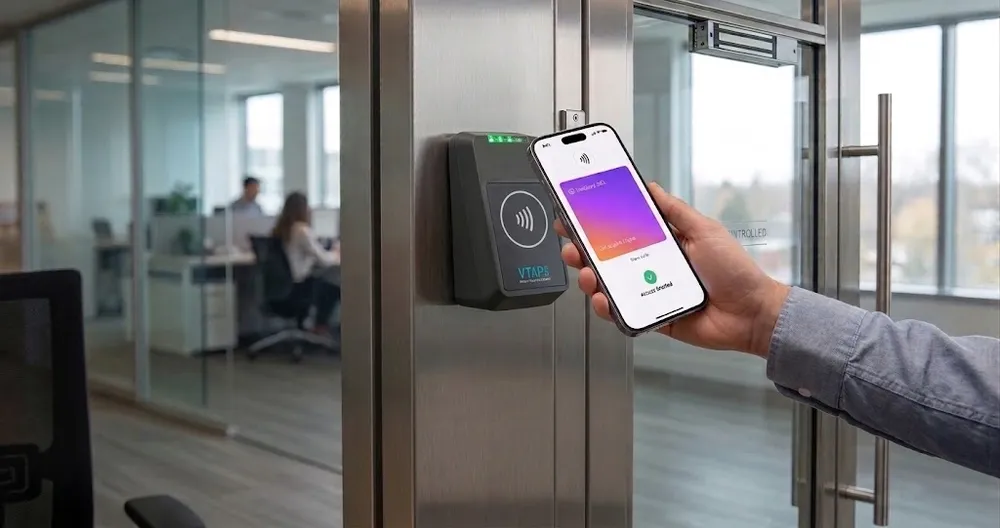
What is office access control for tech companies?
It controls who can enter the office and each sensitive room, and records every entry. Security reviews and customer questionnaires often ask how physical access is controlled.
TimeClock 365 manages the doors from the cloud, with phone keys and a full log. Add attendance, and office days are recorded from the same entries.
The problems
Door problems in a growing tech office
Server and lab rooms
Only named engineers should get in - with a record.
Cards get forgotten
Everyone carries a phone. Not everyone carries a badge.
Security reviews
Customers and auditors ask about physical access.
Onboarding and offboarding
Access should start on day one and end on the last day.
Hybrid work
Who is in the office today, and who is remote?
Guests and interviews
Candidates and partners need a simple, recorded way in.
Door access control
Phone keys, a locked server room, a full log
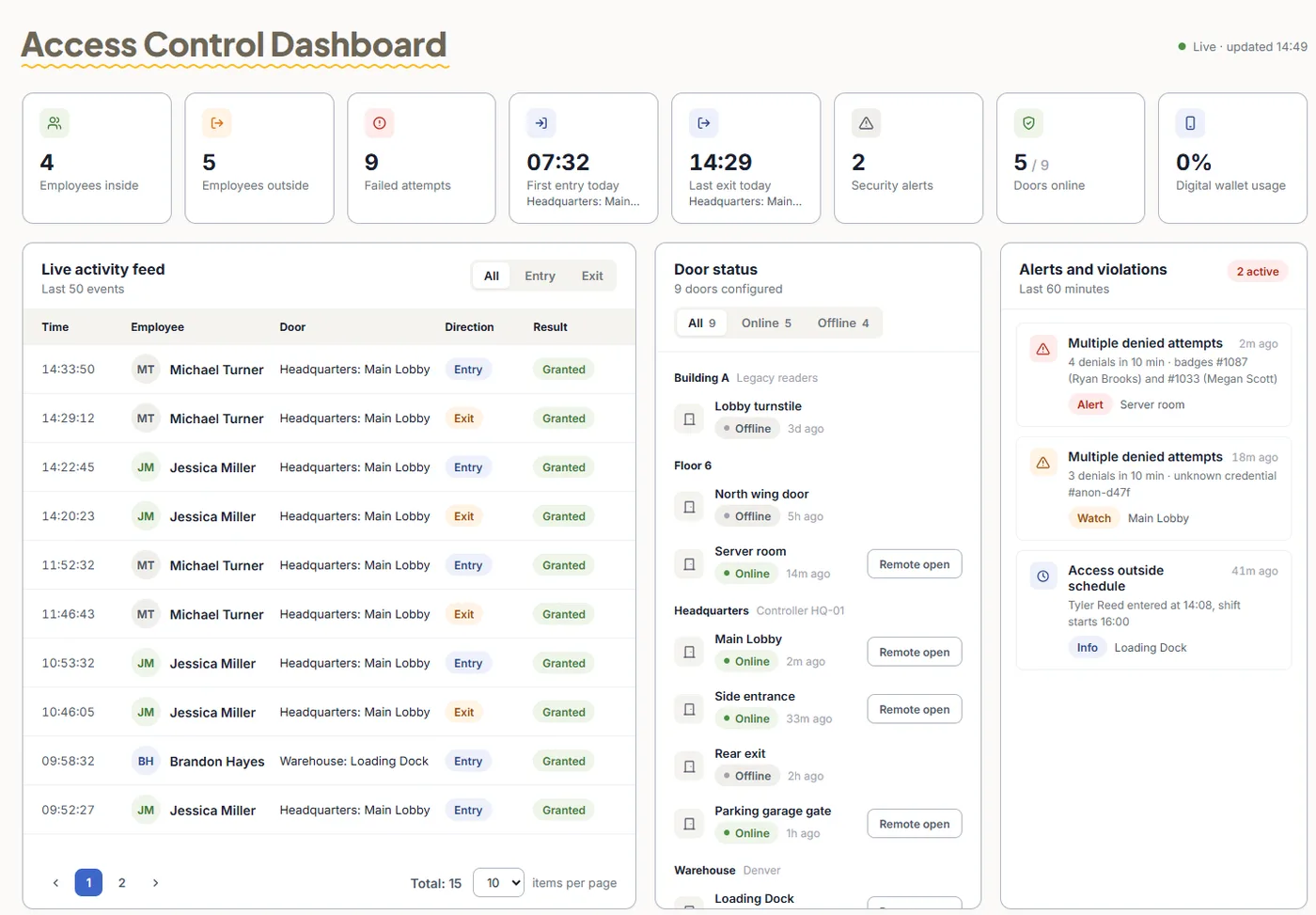
TimeClock 365 is first a cloud door access control system. Manage doors and people from the browser, and connect it to your tools through the API.
- Mobile wallet keys, cards, fingerprint, face - pick per door
- Remote unlock from the app
- Live log of every entry and denied attempt
- Visitor management for interviews and guests
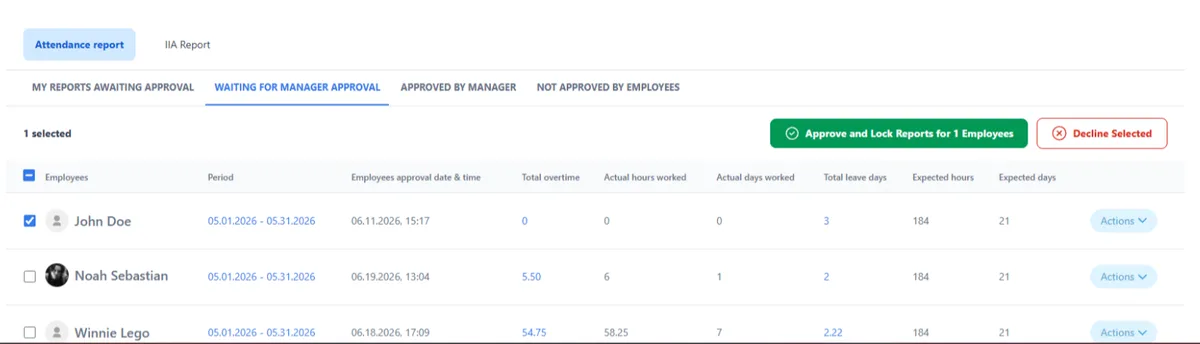
Add-on: attendance from door entries
Hybrid attendance from the front door
Add attendance and office days come from real entries. Remote days are recorded in the app or in Microsoft Teams.
- First entry starts the day, last exit ends it
- Overtime and missed punches flagged for approval
- Payroll export to QuickBooks, HiBob and more
- Multi-site - every location in one account
Use case (fictional example)
A 60-person software company
- At 9:05, Lior (fictional), a developer, opens the office door with his phone. His office day is recorded.
- At 11:00, a candidate arrives for an interview. The office manager checks them in and unlocks the door remotely.
- At 14:20, a new hire tries the server room. Access has not been granted - the door stays closed and the attempt is logged.
- On her last day, a contractor's access is removed in the portal and stops working on every door.
Pricing
Door access control from $1.90 per user / month
Attendance + Access Control is $4.90 per user / month, billed annually. Mobile wallet keys - pricing on request. Readers and controllers are quoted per site.
Frequently asked questions
What is access control for tech companies?
Access control for tech and software companies decides who can enter the office, server and lab rooms, and hardware stores - and when. TimeClock 365 is a cloud door access control system: staff open doors with a phone wallet key, card, fob, fingerprint or face, and every entry is in a live log.
Can employees open the office with their phone?
Yes. TimeClock 365 supports mobile wallet keys and remote unlock from the app. Mobile wallet keys are priced on request.
Can we restrict the server room?
Yes. You decide which people or roles may open the server room and at what times. Every entry and denied attempt is logged.
Does it fit a hybrid office?
Yes. With the TimeClock 365 attendance add-on, office days are recorded from the first entry and last exit. Remote days can be recorded in the TimeClock 365 app, including Microsoft Teams.
Does TimeClock 365 have an API?
Yes. TimeClock 365 offers an API and integrations, including Microsoft 365, Microsoft Teams, Jira and Slack.
Is TimeClock 365 secure?
TimeClock 365 is certified to ISO/IEC 27001:2022 and works in line with GDPR. It is available in 12 languages and used in 20+ countries.
How much does it cost?
TimeClock 365 door access control starts at $1.90 per user per month. Attendance + Access Control is $4.90 per user per month, billed annually. Mobile wallet keys are priced on request, and readers are quoted per office.
Related
See it working in your office
Book a 30-minute demo and get a quote for your doors and staff.