
Construction site access control and crew hours from every entry
For contractors and field service companies. Know who is on each site, who opened the tool store, and pay crews for the hours they were really there.
- Multi-site
- Subcontractors & visitors
- ISO 27001 certified
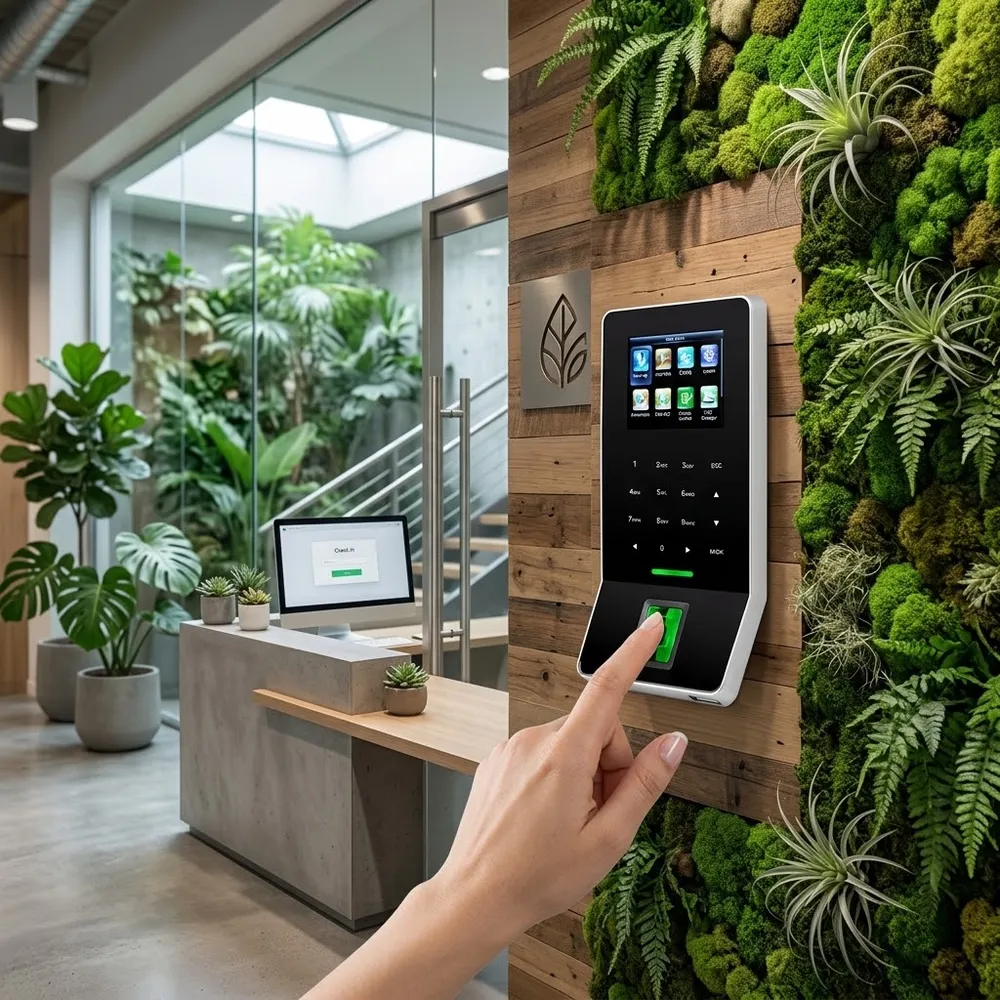
What is construction access control?
It controls who can enter a job site, site office or material store, and records every entry. On a busy site, crews, subcontractors and deliveries come and go all day.
TimeClock 365 manages these doors from the cloud. Add attendance, and the same entry becomes the crew timesheet - no paper sign-in sheets.
The problems
Door and attendance problems on job sites
Tool and material theft
Stores need to open only for the right people - with a record of who did.
Who is on site?
Paper sign-in sheets are incomplete when you need them most.
Subcontractors
Different crews, different hours, different access.
Paper timesheets
Hours are written up at the end of the week - and rounded up.
Many sites
Each project runs its own keys, lists and spreadsheets.
Keys that leave with people
Crews change often. Keys and codes don't.
Door access control
Control every site, store and gate from one portal
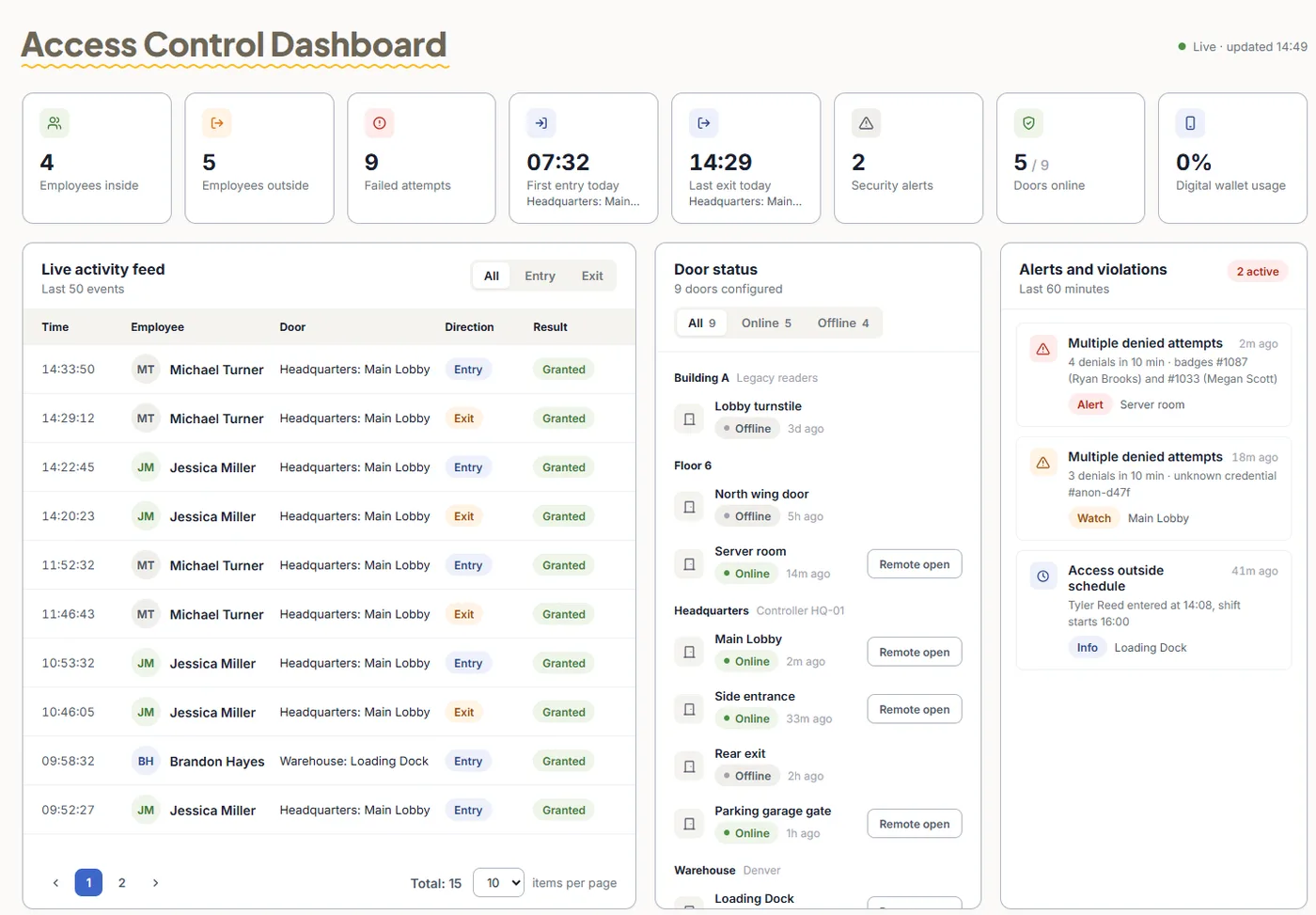
TimeClock 365 is first a cloud door access control system. Set who may enter which site and when, and change it as crews change.
- Cards, fobs, fingerprint, face or mobile wallet keys
- Schedules per door - the material store opens only during working hours
- Visitor management for subcontractors, inspectors and deliveries
- Live log of every entry and denied attempt, per site
Add-on: attendance from door entries
Crew timesheets from site entries
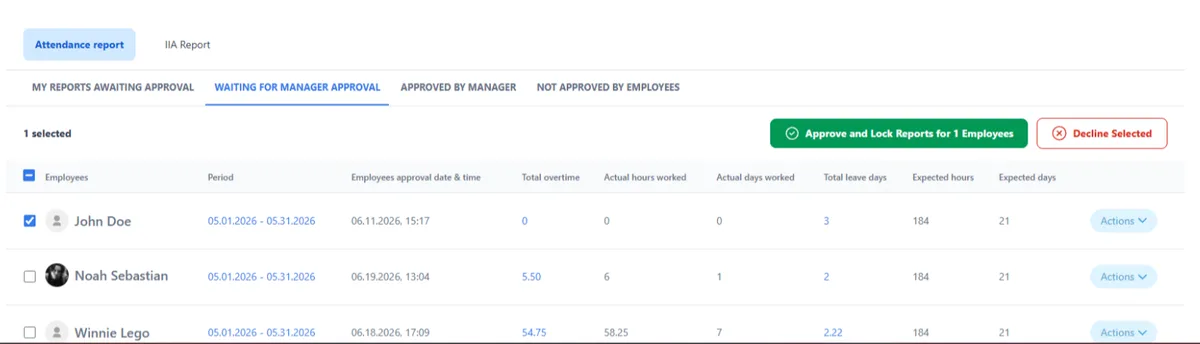
Add attendance and every entry counts. Hours come from when workers actually arrived and left, and field crews can punch in from the mobile app.
- First entry starts the day, last exit ends it
- Overtime and missed punches flagged for approval
- Payroll export to QuickBooks, HiBob and more
- Multi-site - every location in one account
Use case (fictional example)
A contractor running two job sites
- At 6:55, Omer (fictional), a site foreman, enters the north site gate with his fingerprint. His day starts.
- At 8:00, an electrical subcontractor registered as a visitor gets access to the site office until 17:00 only.
- At 15:30, someone tries to open the material store with an expired card. The door stays closed and the attempt is logged.
- On Friday, the project manager approves crew hours for both sites and exports them to payroll.
Pricing
Door access control from $1.90 per user / month
Attendance + Access Control is $4.90 per user / month, billed annually. Mobile wallet keys - pricing on request. Readers and controllers are quoted per site.
Frequently asked questions
What is access control for construction sites?
Access control for construction decides who can enter the site office, tool and material stores, and gated areas - and when. TimeClock 365 is a cloud door access control system: workers and subcontractors open doors and gates with a card, fob, fingerprint, face or mobile wallet key, and every entry appears in a live log.
Can site entries be used as crew timesheets?
Yes. With the TimeClock 365 attendance add-on, the first entry of the day starts the worker's shift and the last exit ends it. Hours are calculated with overtime rules and exported to payroll after manager approval.
How do we manage subcontractors and visitors on site?
TimeClock 365 visitor management registers subcontractors and visitors, and you can give them access only to the areas and hours they need. Their entries are logged like everyone else's.
Can we manage several job sites at once?
Yes. TimeClock 365 is multi-site. Every job site, door and crew is in one cloud account, and site managers see only their own site.
What about field crews who don't pass a door?
Field service technicians can punch in from the TimeClock 365 mobile app on iOS or Android, with the location recorded at each punch.
Is TimeClock 365 secure?
TimeClock 365 is certified to ISO/IEC 27001:2022 and works in line with GDPR. It is available in 12 languages and used in 20+ countries.
How much does it cost?
TimeClock 365 door access control starts at $1.90 per user per month. Attendance + Access Control is $4.90 per user per month, billed annually. Mobile wallet keys are priced on request, and readers are quoted per site.
Related
See it working on a job site
Book a 30-minute demo and get a quote for your doors and staff.