
Cloud door access control + attendance from every door entry
Open every door with a mobile wallet, card, fingerprint or face. Grant and revoke access in seconds, unlock remotely and see every entry live - with no local server. And because each entry is recorded, it can clock employees in too: attendance, time off and payroll come built in.
- No local server
- Mobile wallet, card, fingerprint & face
- Remote unlock & live access log
- Attendance from door entries
Prefer attendance only? Start a free trial - no credit card.
Interactive demo - tap to open the door











Hardware for every door
Controllers, face and fingerprint readers and mobile wallet readers - all managed from the cloud
See all door hardware →Cloud door access control
Manage every door from one screen
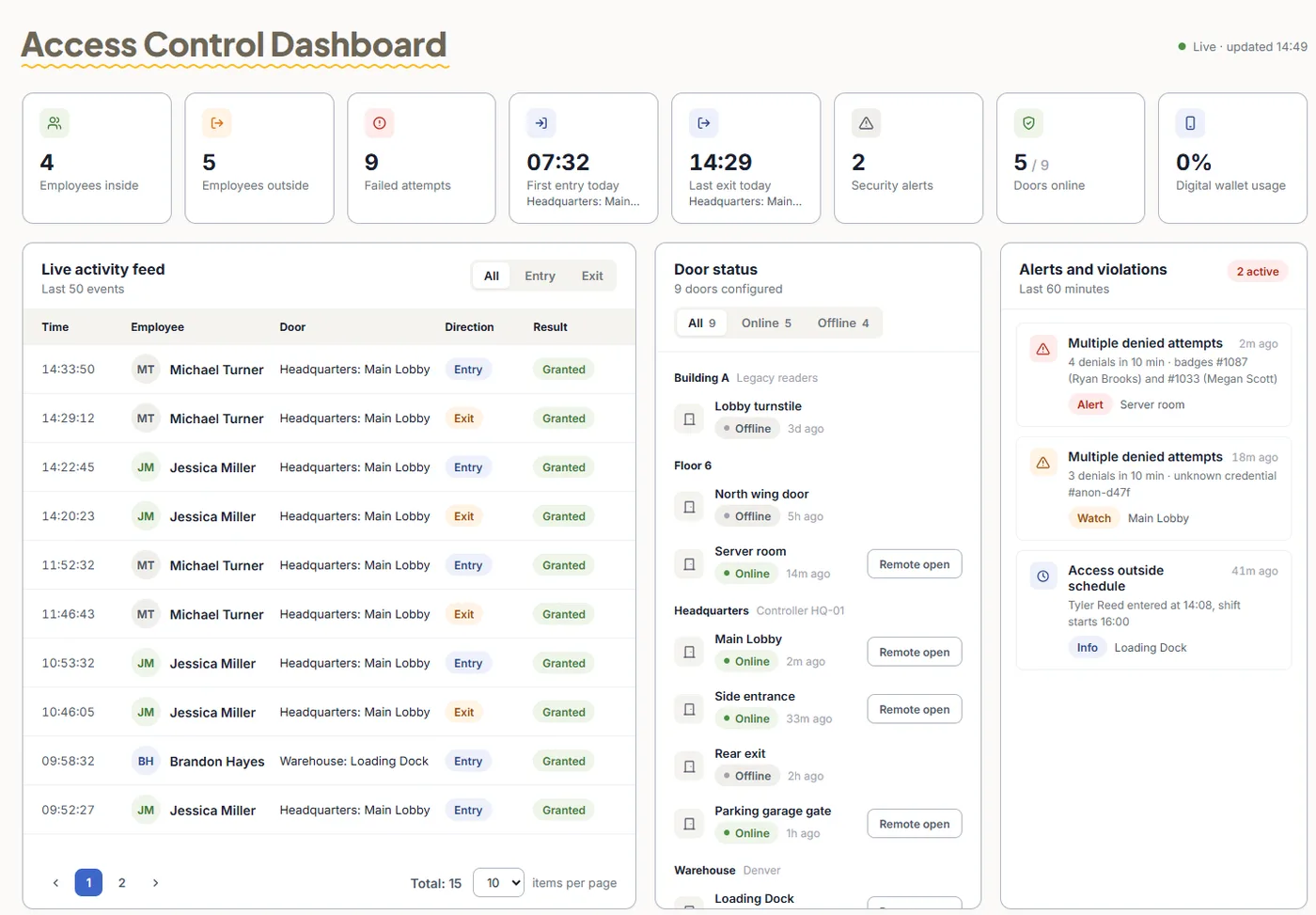
Give and take access in seconds, open any door remotely and see every entry as it happens - for one office or many sites, with no server to maintain.
Keys on every phone
Apple Wallet and Google Wallet keys, cards, fingerprint, face or PIN - per door.
Remote unlock
Open a door for a courier or a guest from any browser.
Live access log
Every entry and exit, with alerts on repeated denied attempts.
Who, where, when
Permissions by group, door and schedule - revoked instantly.
Many sites, one account
Group doors by building or branch and manage them all together.
Works offline
Permissions live on the controller, so doors keep working without internet.
Included with your doors
Every door entry can clock the employee in
Access control and attendance share one account - so the same entry opens the door and records the start of the day. Add time off, HR, visitors and payroll export when you need them. How access control and time & attendance work together

Card vs Fingerprint vs Google/Apple Wallet: Which Door Access Method Fits Your Office?
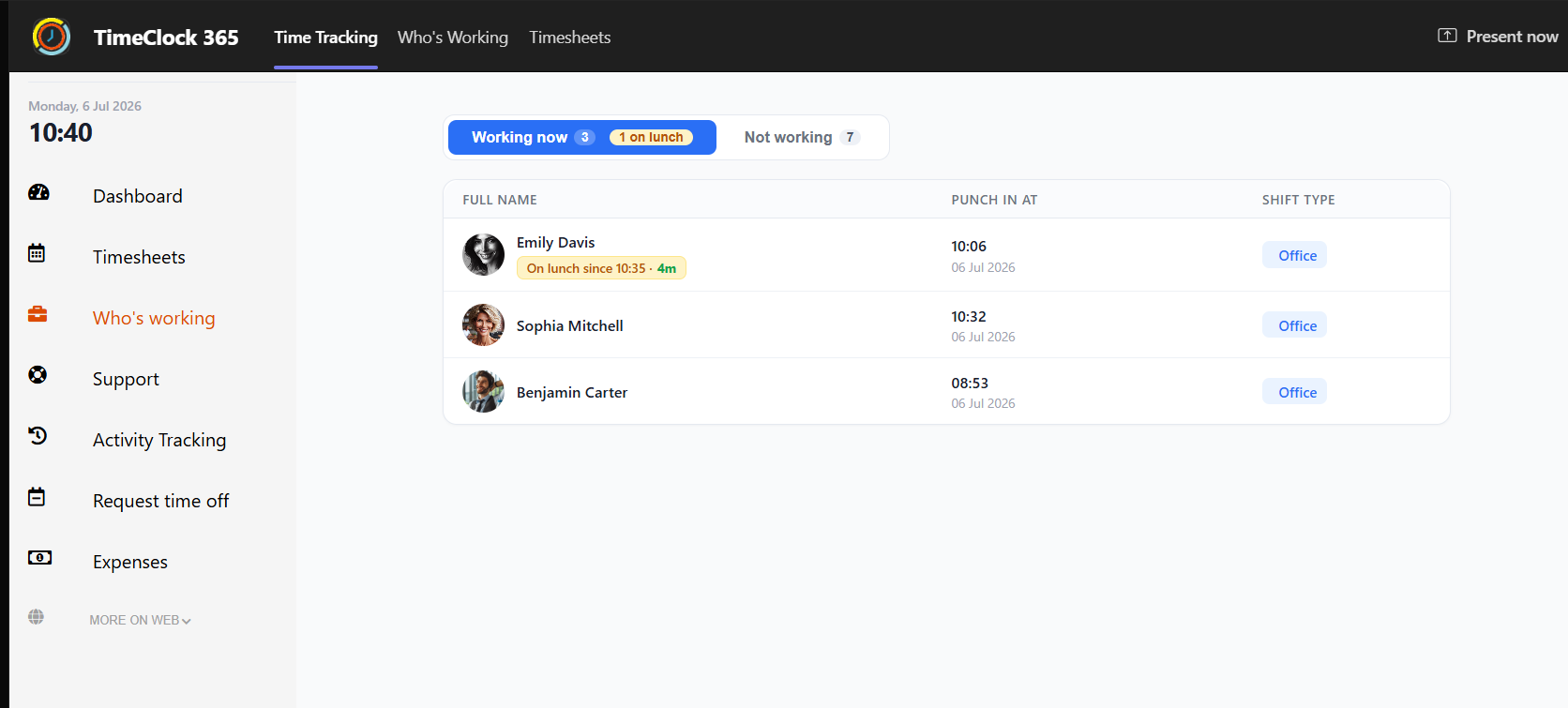
See who's on lunch break in MS Teams

How to Try Plans and Add-ons in Your TimeClock 365 Demo
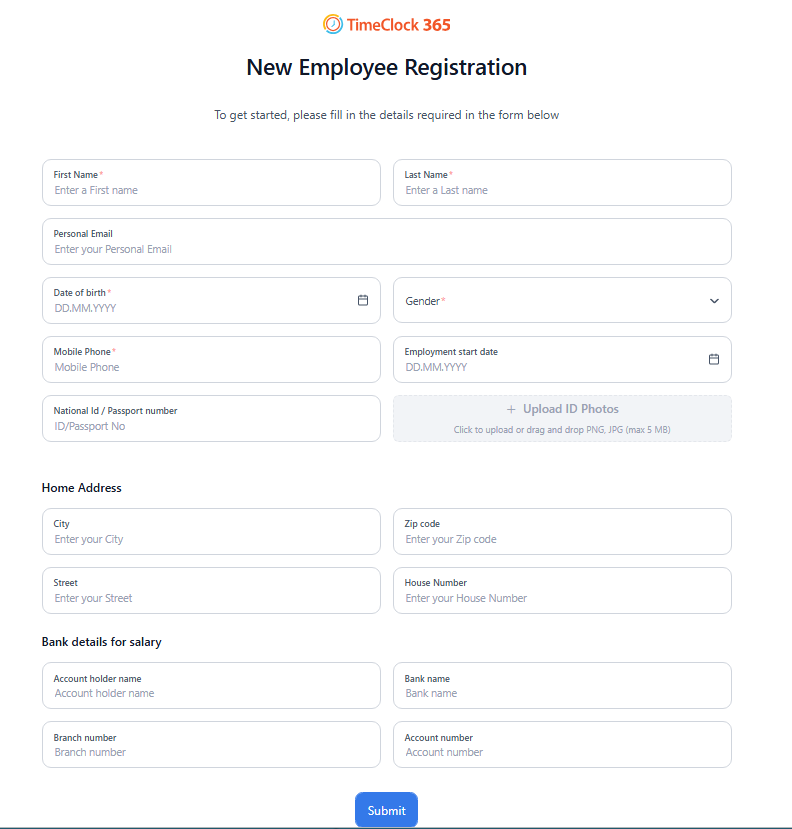
Employee self-registration

His schedule changed last week. Payroll asks who changed it, and nobody knows.
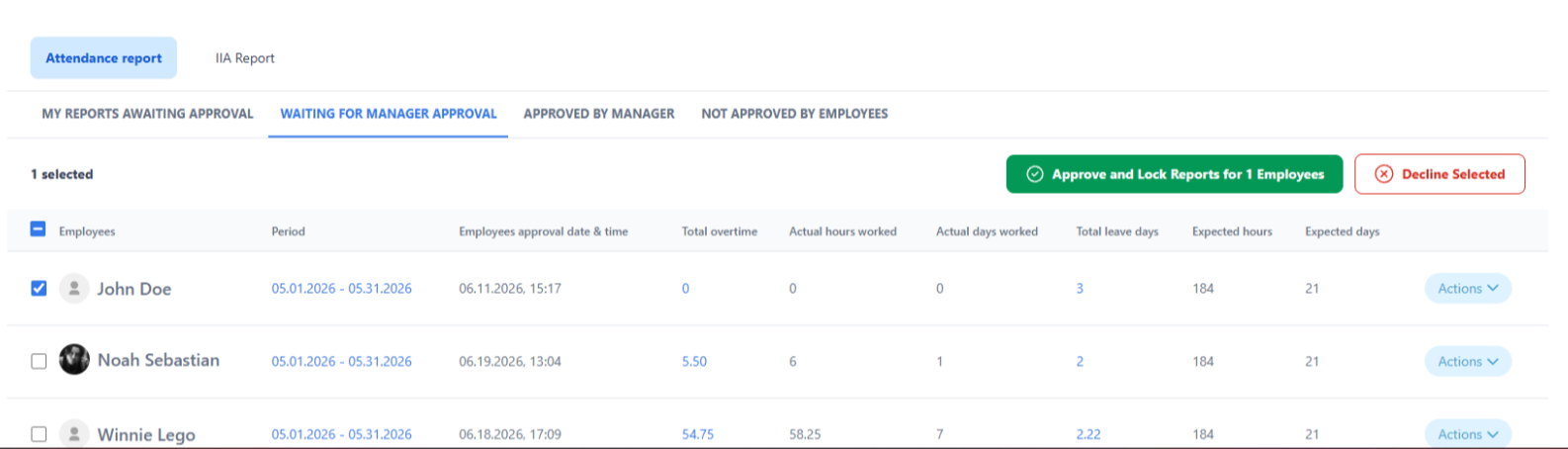
Approve multiple reports at once

Why does adding or removing one person take two systems?
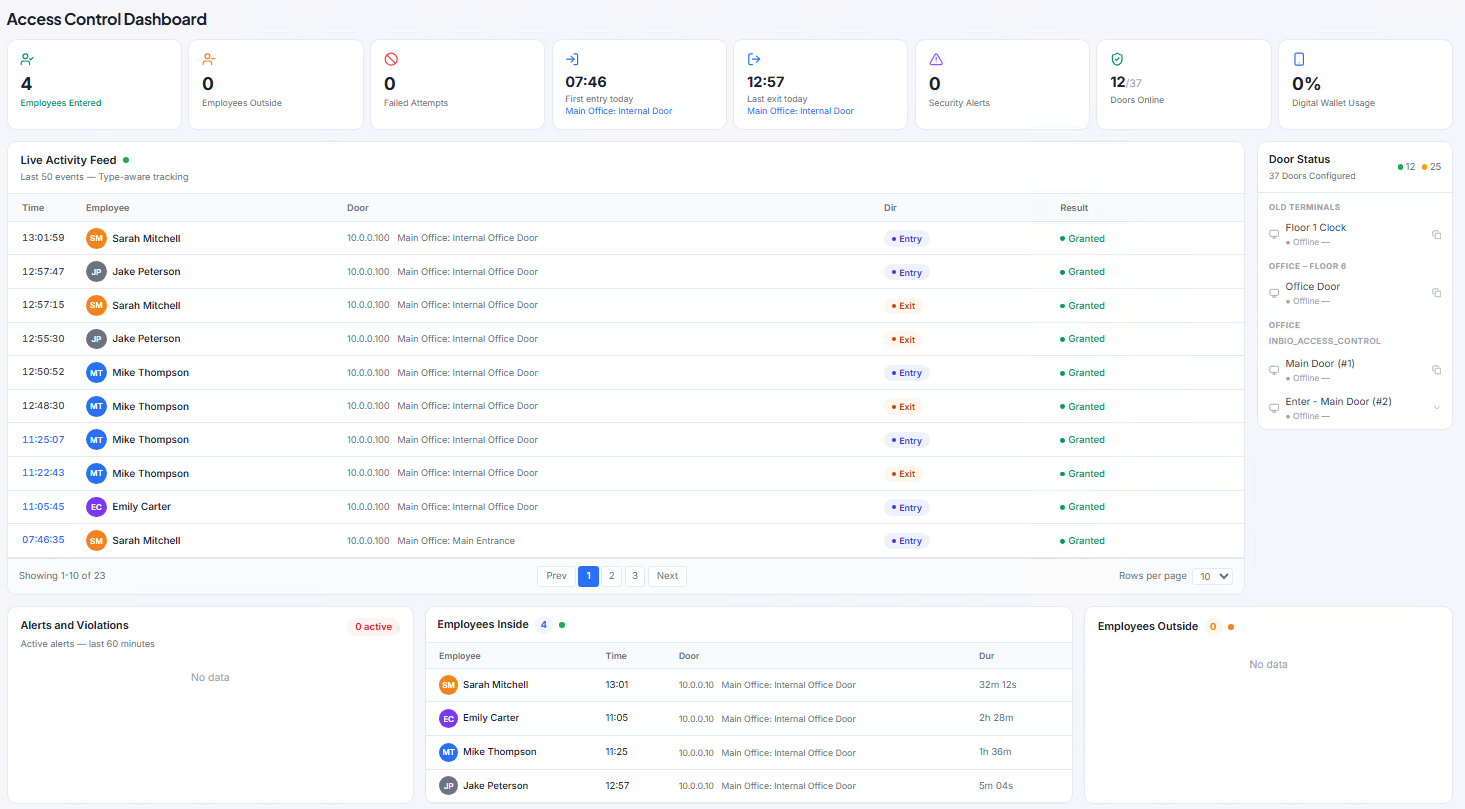
Real-time access control dashboard

Stuck at an airport gate when your team needs a time-off answer today?
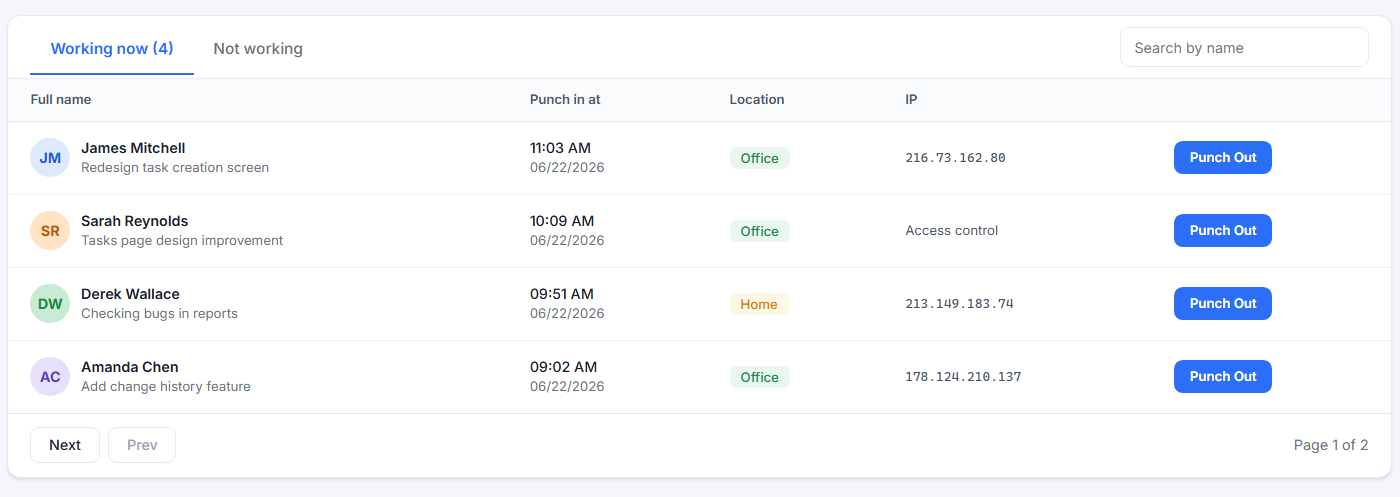
Manager clock-in / clock-out report
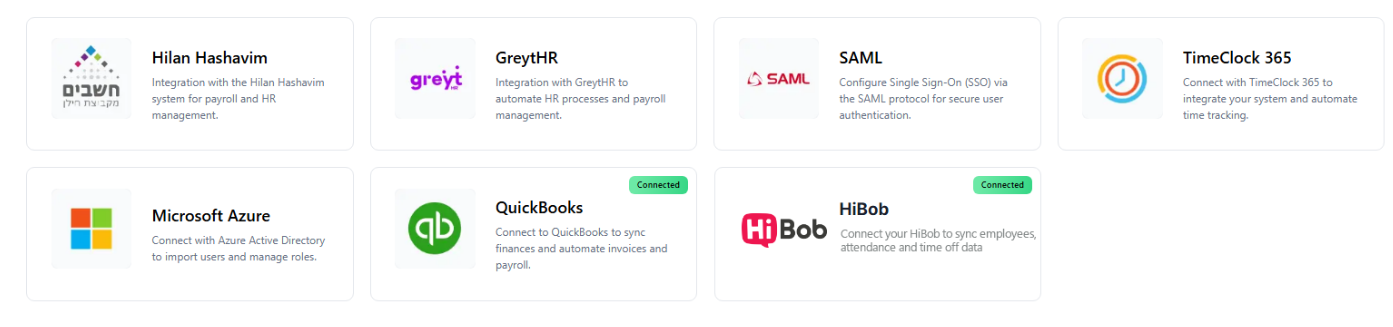
New integrations hub
Card vs Fingerprint vs Google/Apple Wallet: Which Door Access Method Fits Your Office?
See who's on lunch break in MS Teams
How to Try Plans and Add-ons in Your TimeClock 365 Demo
Employee self-registration
His schedule changed last week. Payroll asks who changed it, and nobody knows.
Approve multiple reports at once
Why does adding or removing one person take two systems?
Real-time access control dashboard
Stuck at an airport gate when your team needs a time-off answer today?
Manager clock-in / clock-out report
New integrations hub
Secure doors, accurate hours, one platform
Start with access control and add attendance, time off, HR and payroll in the same account.
Start with your doors. Add everything else.
Every module works in the same account - no separate tools, no manual syncing.
Cloud Door Access Control
Open doors with mobile wallet, card, fingerprint or face. Permissions, remote unlock and a live access log - no local server.
Learn moreVisitor Management
Pre-register guests, check them in and out, and give time-limited door access.
Learn moreAttendance & Time Tracking
Door entries, the app, Teams, Slack, Chrome or time clocks - with overtime, approvals and smart reminders.
Learn morePTO & Leave Management
Leave requests, manager approvals, employee balances, and a full calendar view - automated and organized.
Learn moreEmployee Management & HR
Employee profiles, documents, forms, permissions, and smart workflows - all centralized.
Learn moreTasks & Projects
Track time by task or project, including Jira integration for dev and product teams.
Learn moreField Agent Management
GPS-based reporting, employee tracking, and task management in real time. Full visibility without calling every employee.
Learn moreExpense Management
Submit expenses, upload receipts, and get manager approvals - fast and paperless, directly from the app.
Learn morePayroll Export
Excel, PDF and CSV exports and direct connections to QuickBooks, HiBob and GreytHR. No manual entry.
Learn moreAttendance add-on
Time clock and attendance software
TimeClock 365 is also a full employee time clock. Employees clock in and out from the web time clock, the time clock app for iPhone and Android, Microsoft Teams, Slack or a biometric time clock with fingerprint, face, card or PIN.
If you already use TimeClock 365 for your doors, the door is the clock-in: the first entry of the day starts the workday, so there is no second device to buy and no double punching.
Every punch lands in one timesheet. Overtime is calculated automatically, managers approve timesheets and leave in one place, and approved hours export to payroll. See attendance tracking
Attendance from $3.90 per user/month
- Clock in from web, mobile app, Teams, Slack or Chrome
- Biometric time clocks: fingerprint, face, card and PIN
- GPS location on mobile punches for field teams
- Attendance from door entries - card, phone wallet, fingerprint or face
- Timesheets with manager approval
- Automatic overtime calculation
- Leave requests and balances
- Payroll export to Excel, CSV, QuickBooks, HiBob and more
The door is the clock-in - or use any other way
Door entries, office, remote and field teams all report to one dashboard.
Why organizations move their doors to TimeClock 365
Doors and people in one system
Access control, attendance, visitors, HR and time off share one employee list - add someone once, revoke everything at once.
Massive payroll time savings
No gaps in reports, no manual entry, no messy spreadsheets. Payroll closes fast and accurately.
Real-time visibility
Who's working? From where? On what? Who's on leave? Who's on shift? All in one view.
Workflows & automation
Manager approvals, alerts, reminders, and automated processes that save time across the entire org.
Enterprise-grade security
ISO 27001, GDPR, SSO, SAML, Azure AD, and advanced permissions for organizations of any size.
Learn moreReal, fast support
A professional support team with fast response by phone and ticket. Not a chatbot.
Built for every type of organization
Frequently Asked Questions
What is TimeClock 365?
TimeClock 365 is a cloud door access control system with time and attendance built in. Doors are opened with a mobile wallet, card, fingerprint or face and managed from any browser - and every door entry can also clock the employee in. Time off, HR, tasks, expenses and payroll export are part of the same platform. ISO/IEC 27001:2022 certified, 12 languages, 20+ countries.
Do I need a local server for access control?
No. Door controllers and readers connect to the TimeClock 365 cloud and everything is managed from a browser. There is no on-premise server or software to maintain.
How do employees open doors?
With Apple Wallet or Google Wallet on their phone, an RFID or NFC card or key fob, a fingerprint, face recognition or a PIN. Different doors can use different methods, and admins can also unlock any door remotely. See the hardware
What happens if the internet goes down?
Users and their permissions are stored on the controller, so doors keep working. Access events are saved on the device and sync to the cloud when the connection returns.
Can door access be used for attendance?
Yes. Because access control and attendance share one account, a door entry can count as the clock-in. Employees can also clock in from the mobile app, web portal, Microsoft Teams or a biometric time clock. Attendance tracking
Is TimeClock 365 a time clock?
Yes. Besides door access control, TimeClock 365 is a cloud employee time clock. Employees clock in from the web, the iPhone and Android app, Microsoft Teams, Slack or a biometric time clock, and door entries can count as the clock-in. Overtime, timesheet approvals, leave and payroll export are included. Attendance starts at $3.90 per user per month.
Can I use TimeClock 365 as a time clock app?
Yes. The TimeClock 365 app for iPhone and Android lets employees clock in and out with GPS location, request time off and see their hours. Punches from the app, the web portal, Teams and biometric clocks all go into the same timesheet.
Does TimeClock 365 integrate with payroll software?
Yes. Attendance exports to Excel, PDF and CSV, and connects to QuickBooks, HiBob and GreytHR, plus ready-made files for other payroll systems. Payroll export
Is TimeClock 365 secure?
Yes. TimeClock 365 is ISO/IEC 27001:2022 certified and GDPR compliant. Data is encrypted, every access event is logged, and it supports SAML SSO, Azure AD and two-factor login. Security details
Ready to put your doors in the cloud?
See cloud access control running on your doors - and how every entry can feed attendance and payroll.
Attendance only? Start a free trial - no credit card.