This guide explains how to add or update your company’s details within the TimeClock 365 system. This information is used for generating your subscription invoices, ensuring they are accurate and addressed correctly.
Adding Company Details for Invoicing
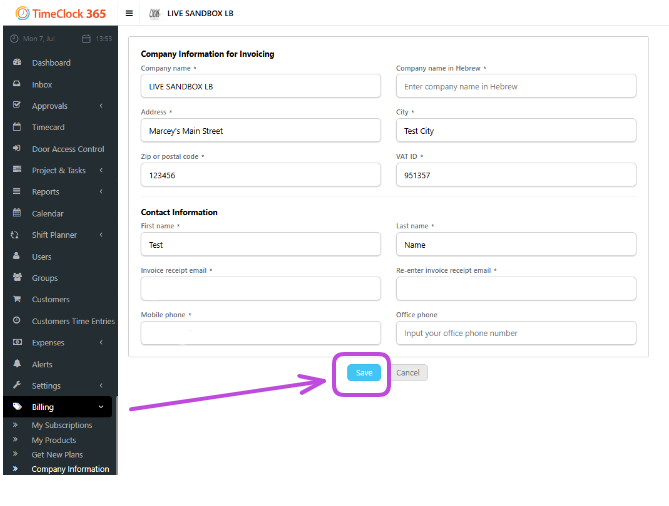
From the sidebar, navigate to the Billing -> Company information.
On the page that appears, click the “Add” or “Edit” button. A form will open. Fill in your company’s information for the invoice (e.g., Company Name, Address, Tax ID). Once you have entered all the details, click the Save button to confirm.
Your company’s billing information is now saved and will be used on all future invoices.