
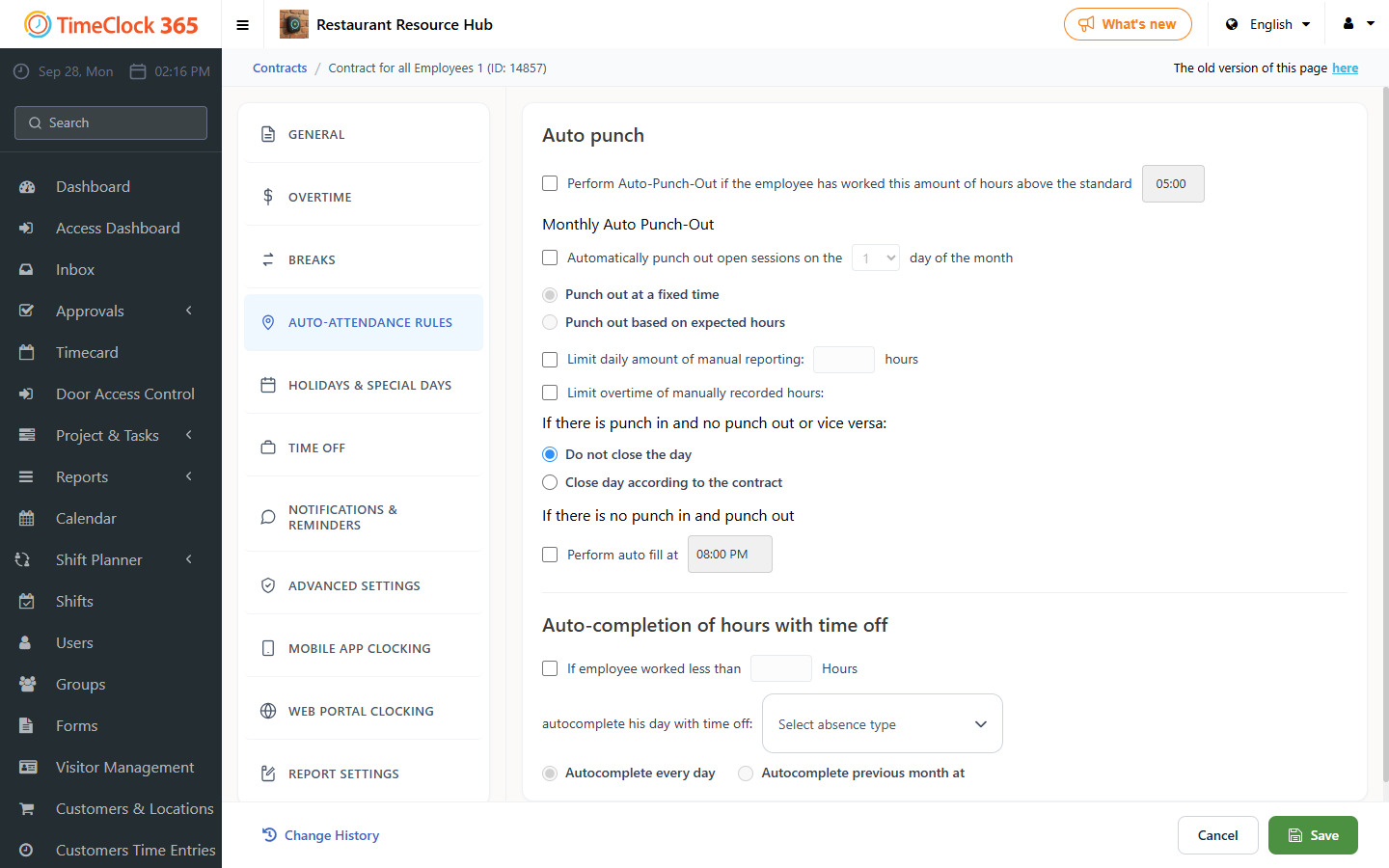
Sometimes an employee punches in and forgets to punch out, and you do not want to pay overtime for hours that were not worked. TimeClock 365 can close the day according to the contract: if the employee forgot to punch out yesterday and punches in today, the system adds the missing punch-out for yesterday at the moment of the new punch-in.
How to activate it
- From the sidebar, open Contracts.
- Select the contract you want to change and click edit.
- Open the Auto-attendance rules tab.
- Turn on Close day according to the contract. If there is a punch-in with no punch-out (or the other way around), the system completes the missing punch according to the contract.
- Click Save.
Example
If the employee is expected to work 9 hours, punched in yesterday at 10:00 and forgot to punch out, yesterday's report is closed and recorded as 10:00-19:00.
See also: How to set automatic punch out.