Automatic entry and exit time logs
Manage time on iOS and Android apps
Track hours and breaks in your browser
Log work hours using fingerprint scanners
Track work hours directly in Teams
Clock in and out from Slack messenger
Simple time tracking with Chrome add-on
Automatically track work hours when employees unlock doors — perfect sync with shifts and payroll.
View who enters, when, and where — across all sites — in real time.
Get notified about blocked entries, unauthorized attempts, or suspicious access patterns.
Grant or revoke door access remotely in real time. No on-site setup required.
Export detailed access reports by user, door, department, or date. Supports audit and legal compliance (GDPR, ISO 27001).
Works with fingerprint readers, smartcards, and mobile tap-to-enter (Google Wallet / Apple Wallet support coming soon).
Connect your existing systems or get help choosing the right readers and devices for your space.
Help center & troubleshooting
Who we are & what we do
Insights, updates & stories
Connecting systems and applications
Join via Teams
Schedule demo
Monday–Friday: 9:00 AM – 10:00 PM (EET)
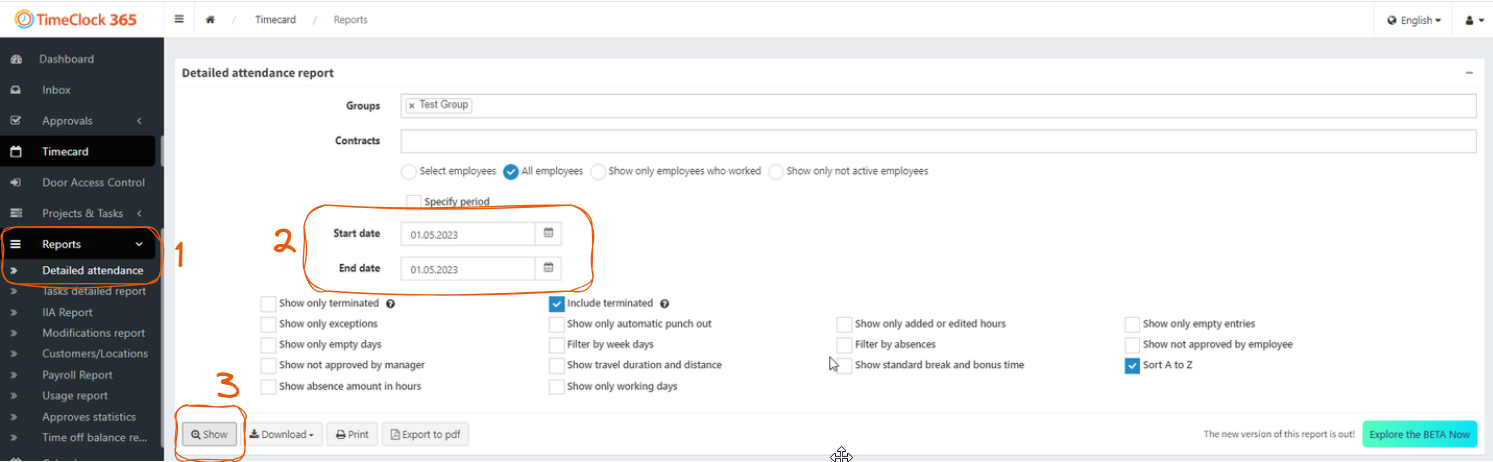
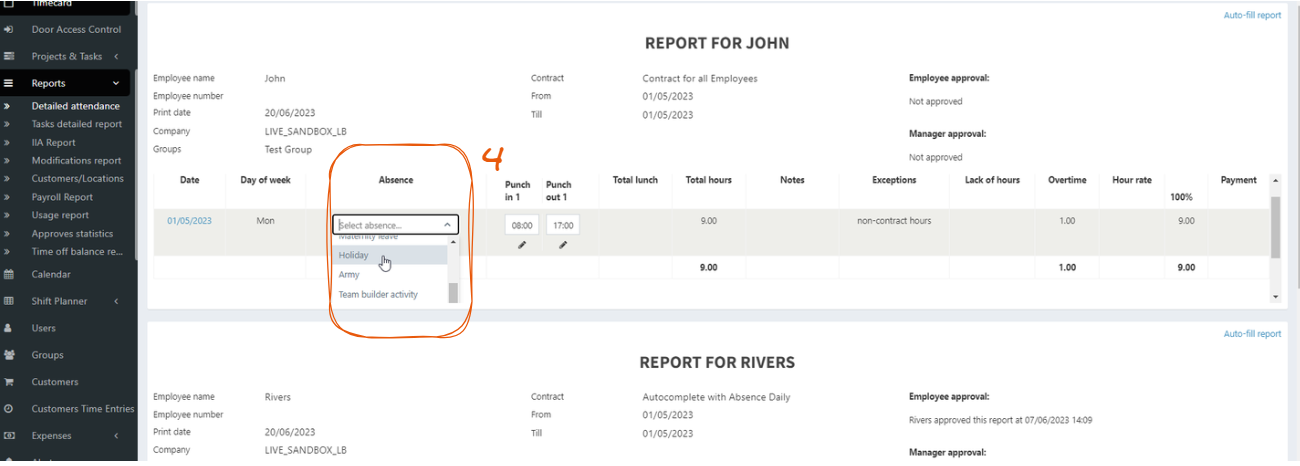
Sometimes it is necessary to mark public holidays or other types of absence for several employees at once.
Here is how this can be done: