
TimeClock 365 features: doors first, everything else built on top
Start with cloud door access control. Add attendance that comes straight from door entries, then HR, tasks, visitors, expenses and payroll - one account, no data silos.
- ISO 27001
- 12 languages
- 20+ countries
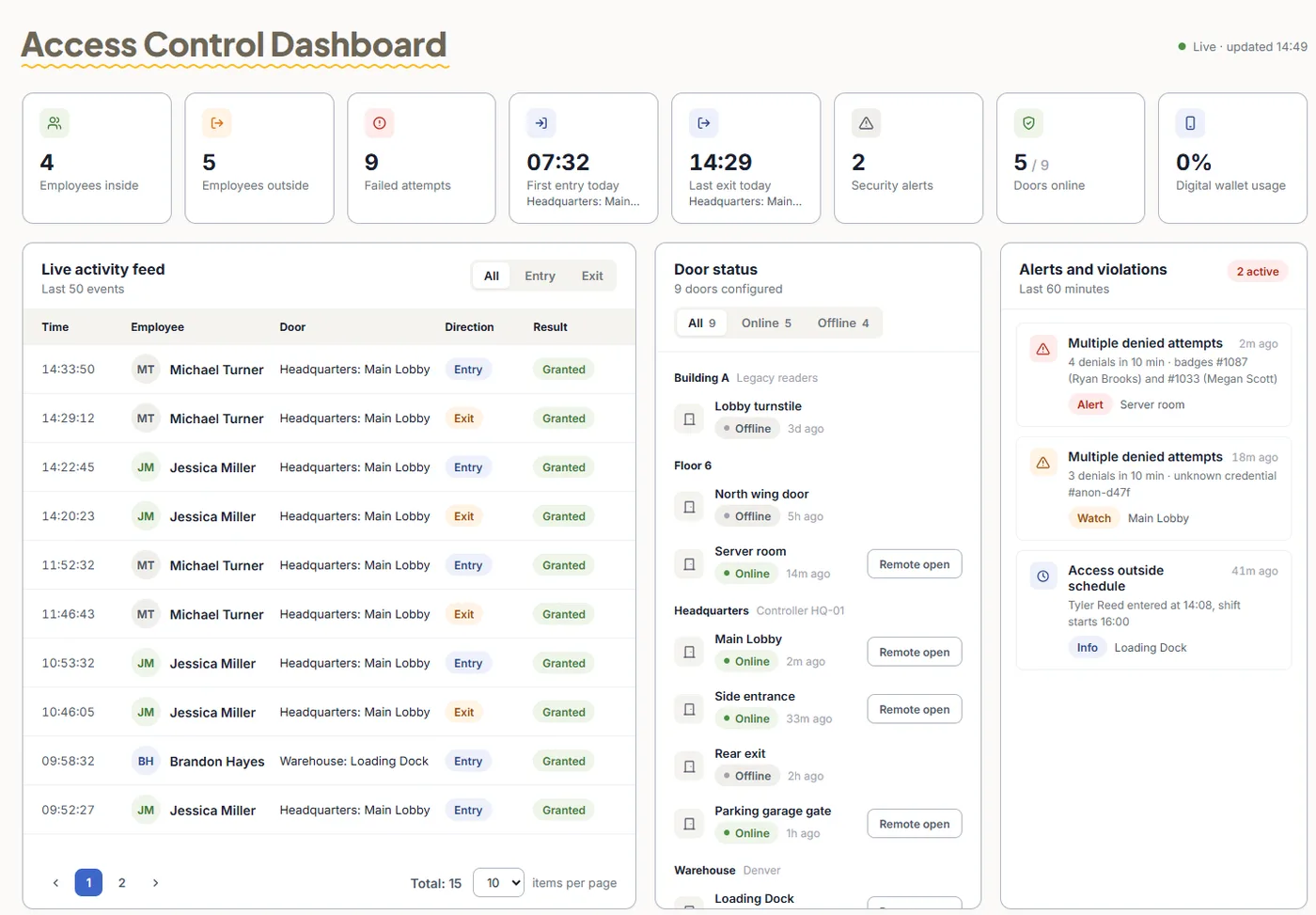
1 · Door access
Control who goes where
The core of the platform. Manage every door and site from the browser - no local server.
Door access control
Open doors with cards, fingerprint, face, PIN or a phone wallet key. Remote unlock, live access log, multi-site.
📱Mobile wallet keys
Apple Wallet and Google Wallet keys on employees' phones. An add-on - pricing on request.
🔌Door hardware
Controllers, readers and biometric clocks, managed from the cloud.
🪪Visitor management
Pre-register guests, check them in and out, and give door access only to selected doors.
2 · Attendance and more
Turn entries into hours, and hours into payroll
Door entries become attendance. The rest of the platform works from the same people and the same data.
Time & attendance
Clock in from web, mobile, Teams, Slack or a biometric clock. Overtime calculated, timesheets approved.
👥HR management
Employee profiles, onboarding documents with e-signature, groups, managers and permissions.
🏖️Time off
Requests, one-click approvals and balances that flow into attendance and payroll.
📋Tasks & projects
Track time on tasks, set time budgets and report hours by project, customer and employee.
💳Expenses
Employees snap receipts, managers approve, accounting gets one Excel report.
📍GPS tracking
Location on every punch, geofenced job sites, a live map and daily routes for field teams.
🗓️Shift scheduling
Drag-and-drop shifts with templates, coverage alerts and overtime controls.
💰Payroll export
Approved hours to Excel, PDF, CSV, QuickBooks, HiBob, GreytHR and more.
📲Mobile apps
iPhone and Android: punch in with GPS, request time off, approve timesheets.
3 · Connect and protect
Fits the tools you already use
Pricing
Door Access Control from $1.90 per user / month
Billed annually. Add attendance for $4.10 per user / month, billed annually. Mobile wallet keys are an add-on - pricing on request.
Frequently asked questions
What features does TimeClock 365 include?
TimeClock 365 is a cloud platform that starts with door access control and adds time and attendance, HR management, time off, tasks and projects, visitor management, expense management, GPS tracking, shift scheduling, payroll export and integrations - all in one account.
Do I need attendance to use door access control?
No. Door Access Control works on its own, from $1.90 per user per month billed annually. Adding attendance, from $4.10 per user per month billed annually, turns door entries into attendance records.
How do door entries become attendance?
Access control and attendance share one account, so the first entry of the day can start the workday and the last exit can end it. Employees can also clock in from the web, the mobile app, Microsoft Teams or a biometric clock.
Which ways of opening a door are supported?
Cards and key fobs, fingerprint, face recognition, PIN, and Apple Wallet or Google Wallet keys on employees' phones. Mobile wallet keys are an add-on - pricing on request.
Is there a mobile app?
Yes. TimeClock 365 has apps for iPhone and Android where employees punch in with GPS location, request time off, log tasks and expenses, and managers approve timesheets.
Can TimeClock 365 send hours to payroll?
Yes. Approved attendance exports to Excel, PDF and CSV, and to payroll systems including QuickBooks, HiBob and GreytHR, with ready-made files for several Israeli payroll systems.
Is there an API?
Yes. A REST API is available for custom integrations. See the API page for details.
Is TimeClock 365 secure?
TimeClock 365 is ISO 27001 certified. The platform is available in 12 languages and is used in 20+ countries.
See it with your own doors
Book a 30-minute demo and get a quote for your sites.