
School access control with staff attendance from the door
For schools, colleges and campuses. Lock and unlock doors on the timetable, check in visitors, and record staff hours from every entry.
- Door timetables
- Visitor check-in
- ISO 27001 certified
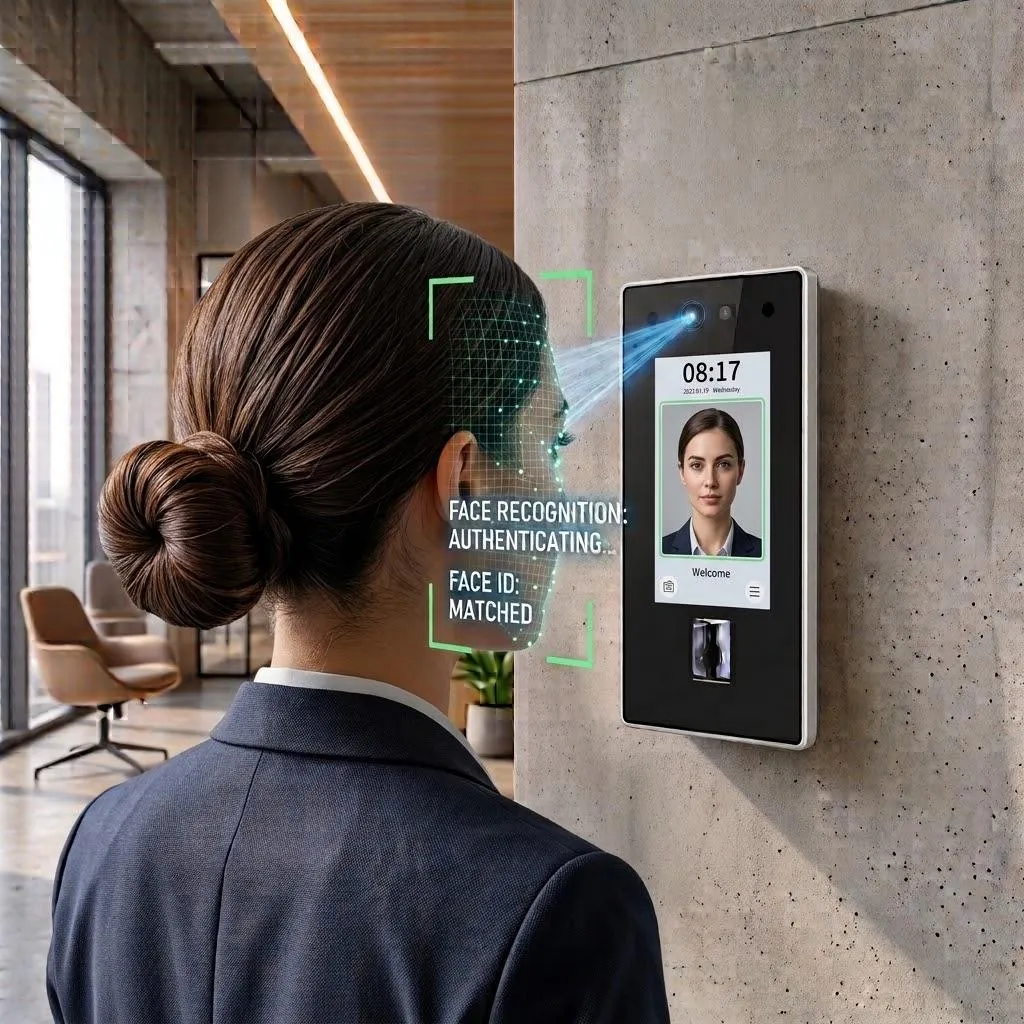
What is access control for schools?
It controls which doors are open, when, and for whom - and records every entry. Schools have many doors, many visitors, and staff who come and go on different timetables.
TimeClock 365 manages the doors from the cloud. Add attendance, and staff hours come from the same entries - no sign-in book.
The problems
Door and attendance problems on campus
Too many doors
Entrances, labs, offices and stores - each with its own key.
Timetables and holidays
Doors should follow the school day, not a caretaker's rounds.
Visitors and parents
The office needs a simple, recorded way to let people in.
Labs and stores
Chemicals and equipment rooms for authorized staff only.
Paper sign-in books
Staff hours and substitute cover are hard to verify.
Several campuses
Different buildings, different rules, one admin team.
Door access control
Every school door on a timetable
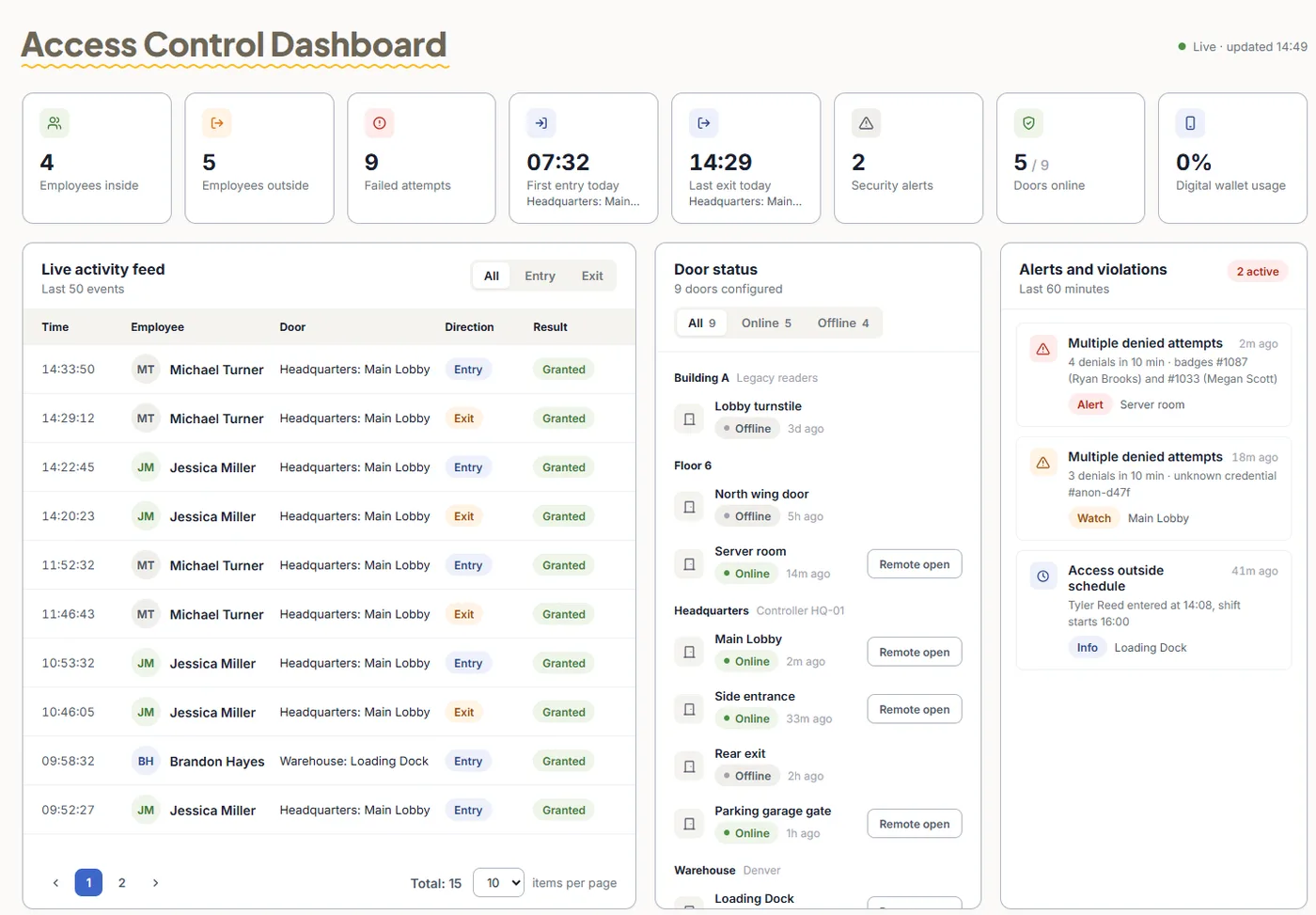
TimeClock 365 is first a cloud door access control system. Set door schedules, give staff the rooms they need, and see every entry live.
- Cards, fobs, fingerprint, face or mobile wallet keys for staff
- Schedules per door for the school day, evenings and holidays
- Remote unlock from the app for the office
- Visitor management for parents, contractors and guests
Add-on: attendance from door entries
Staff attendance without a sign-in book
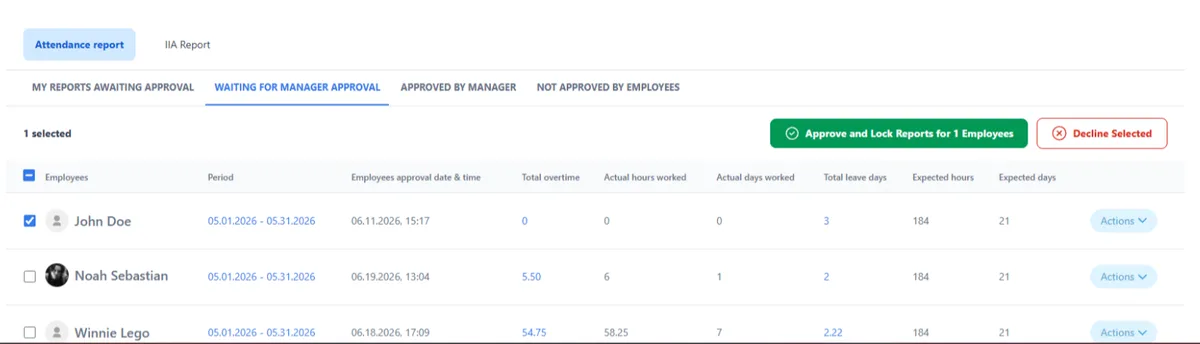
Add attendance and the staff entrance records the workday - for teachers, support staff and substitutes.
- First entry starts the day, last exit ends it
- Overtime and missed punches flagged for approval
- Payroll export to QuickBooks, HiBob and more
- Multi-site - every location in one account
Use case (fictional example)
A secondary school on a normal Tuesday
- At 7:30, the main entrance unlocks on its schedule. Michal (fictional), a teacher, enters with her card - her workday starts.
- At 10:15, a contractor arrives to fix the heating. The office registers him as a visitor and unlocks the plant room remotely.
- At 13:00, someone tries the chemistry store with a card that has no lab access. The door stays closed and the attempt is logged.
- At month end, the business manager approves staff and substitute hours and exports them to payroll.
Pricing
Door access control from $1.90 per user / month
Attendance + Access Control is $4.90 per user / month, billed annually. Mobile wallet keys - pricing on request. Readers and controllers are quoted per site.
Frequently asked questions
What is access control for schools?
Access control for schools and colleges decides which staff can open which doors - main entrances, staff rooms, labs, offices and stores - and at what times. TimeClock 365 is a cloud door access control system: staff open doors with a card, fob, fingerprint, face or mobile wallet key, and every entry is in a live log.
Can school doors lock and unlock on a timetable?
Yes. TimeClock 365 door schedules set when each door is open, locked, or open only to authorized staff - for example outside school hours and during holidays.
How do we manage visitors, parents and contractors?
TimeClock 365 visitor management registers visitors and contractors, and the office can unlock a door remotely from the app. Every visit and unlock is recorded.
Can staff attendance come from door entries?
Yes. With the TimeClock 365 attendance add-on, the first entry of the day starts the staff member's workday and the last exit ends it. Hours export to payroll after approval.
Can a school district or college group manage several campuses?
Yes. TimeClock 365 is multi-site. All campuses, doors and staff are in one cloud account, and each campus manager sees only their own site.
Is there special pricing for education?
TimeClock 365 door access control starts at $1.90 per user per month, and Attendance + Access Control is $4.90 per user per month, billed annually. See the education pricing page or ask for a quote. Readers are quoted per campus.
Is TimeClock 365 secure?
TimeClock 365 is certified to ISO/IEC 27001:2022 and works in line with GDPR. It is available in 12 languages and used in 20+ countries.
Related
See it working in your school
Book a 30-minute demo and get a quote for your doors and staff.