
Wallet Keys
Wallet Keys Management
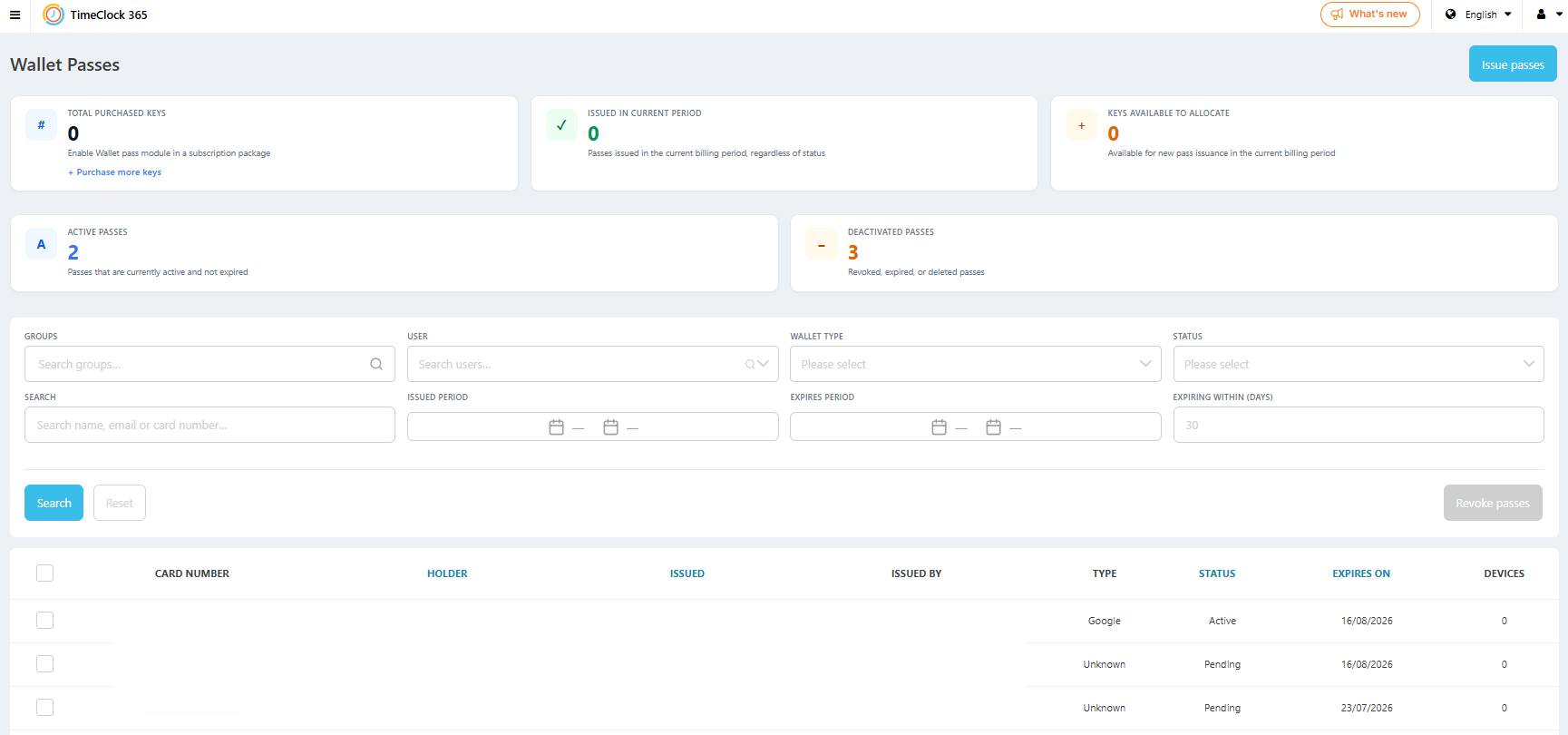
A new Wallet Passes page lets you track total purchased keys, keys issued this period, active and deactivated passes, and search or filter by user, group, wallet type, and status - all from one dashboard.
We ship improvements every quarter. Here's everything we've launched recently - new features, smarter workflows, and better visibility for your team.
A new Wallet Passes page lets you track total purchased keys, keys issued this period, active and deactivated passes, and search or filter by user, group, wallet type, and status - all from one dashboard.
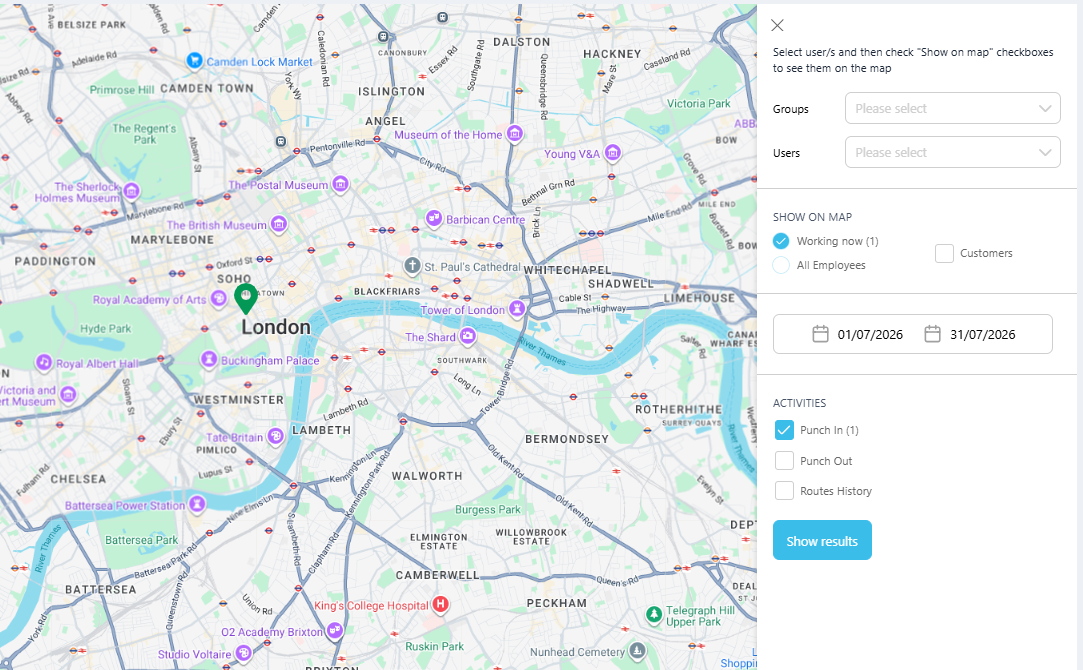
The Live Map page has a refreshed interface, making it easier to filter by group, user, and activity, and to see who's currently working and where in real time.
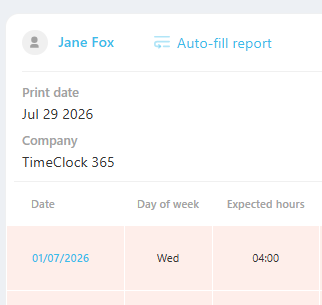
Employee names in the attendance report are now clickable links straight to their profile card, and the time-off menu automatically hides once a Time Off request has already been submitted.
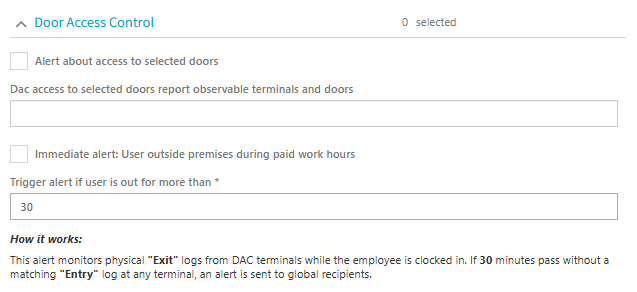
Get notified in real time when an employee has been outside the office for longer than a configurable number of minutes or hours while clocked in, so managers can react as it happens.
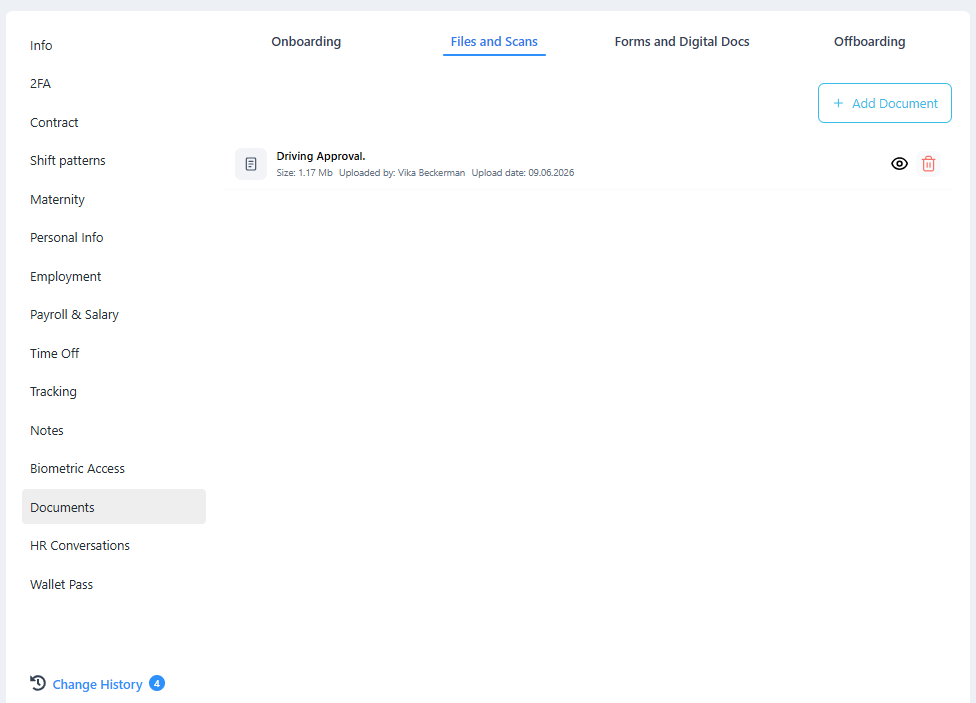
ID and passport documents uploaded during employee self-registration are now saved automatically to the employee's card, under Documents → Files and Scans.
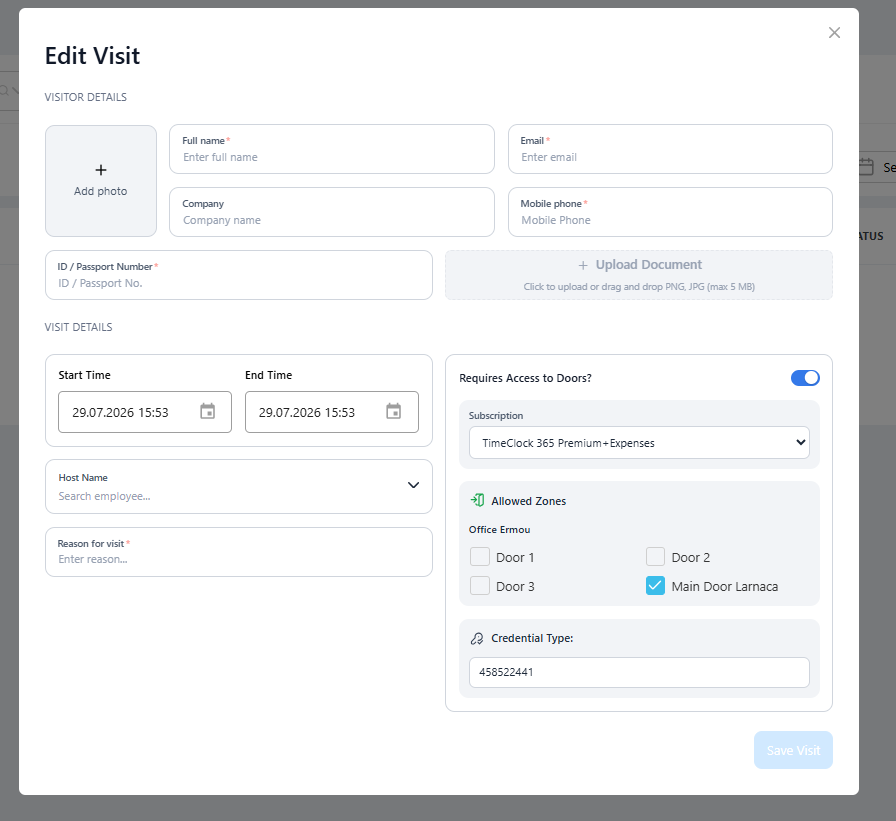
The visitor management module now supports door access control, giving admins full control over which doors a visitor can enter and exit during their visit.
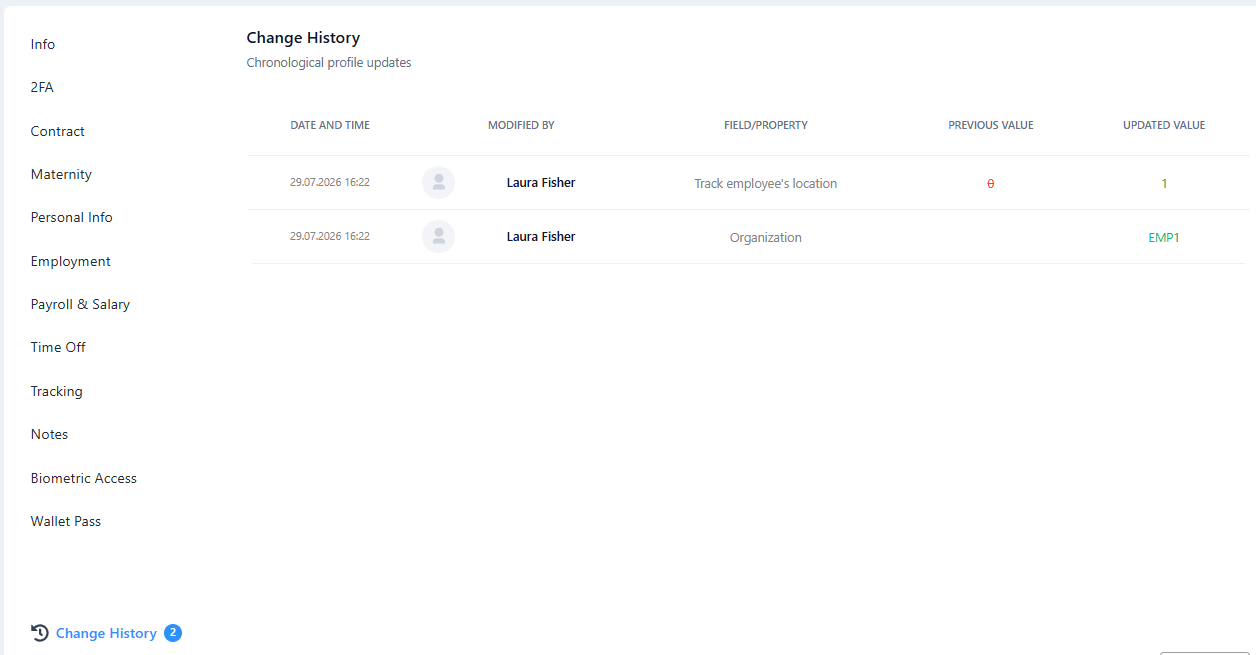
Every employee profile now keeps a full change history log. See exactly who changed what and when - department, role, schedule, or any other field - directly from the user's profile page.
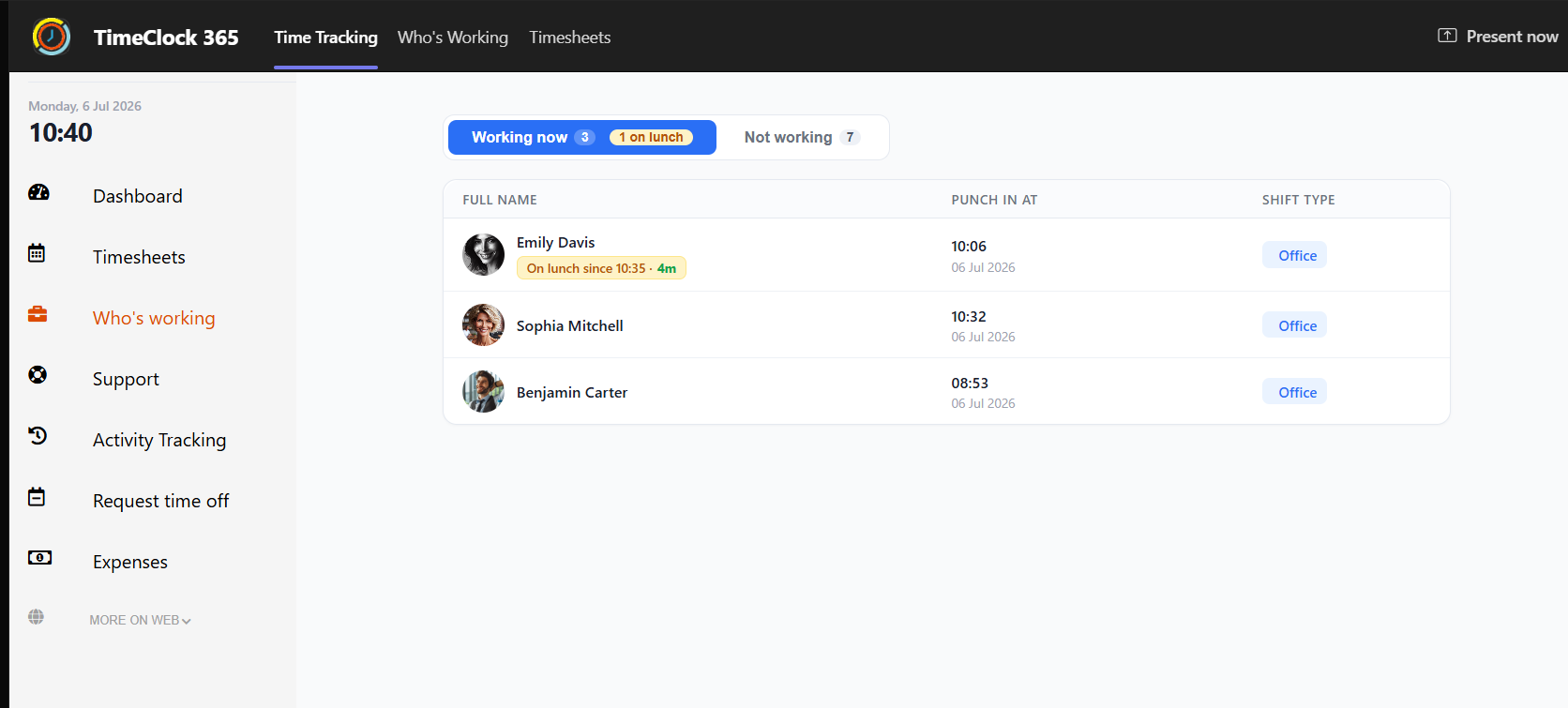
Ever wondered if a teammate is deep in focus or just grabbing a bite? We've made it easier to respect everyone's break time!
We have updated our TimeClock 365 integration inside MS Teams. Now, when you head over to the "Who's Working" tab, you can instantly see who is currently away on their lunch break.
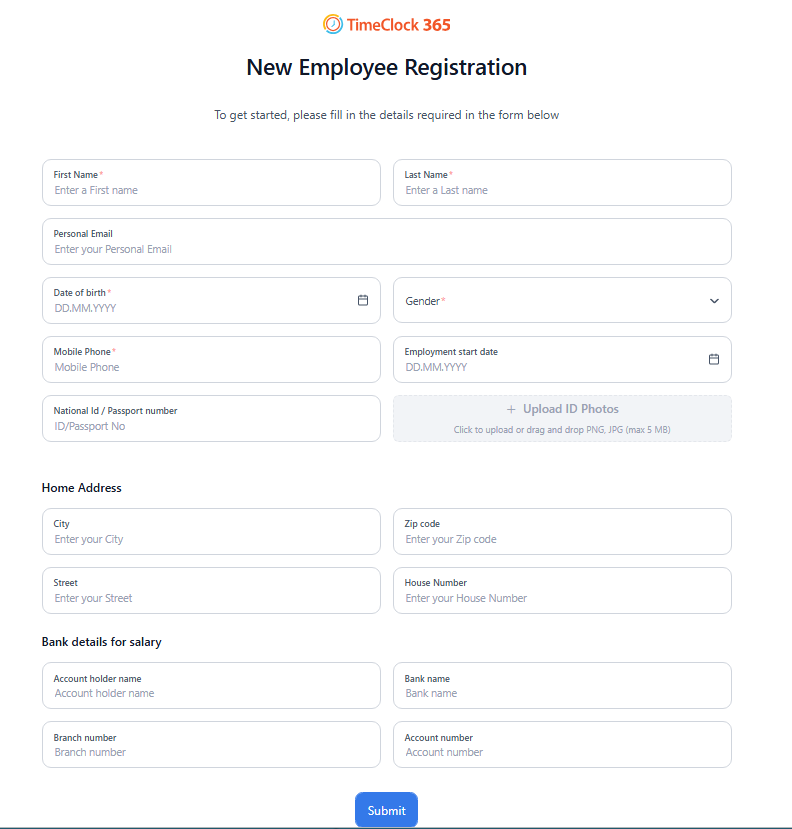
New employees can now register themselves directly from the terminal or mobile app - no admin action needed. They fill in their name, department, and role, and the system creates their profile instantly. This eliminates the back-and-forth between HR and IT on day one, getting people clocking in from minute zero.
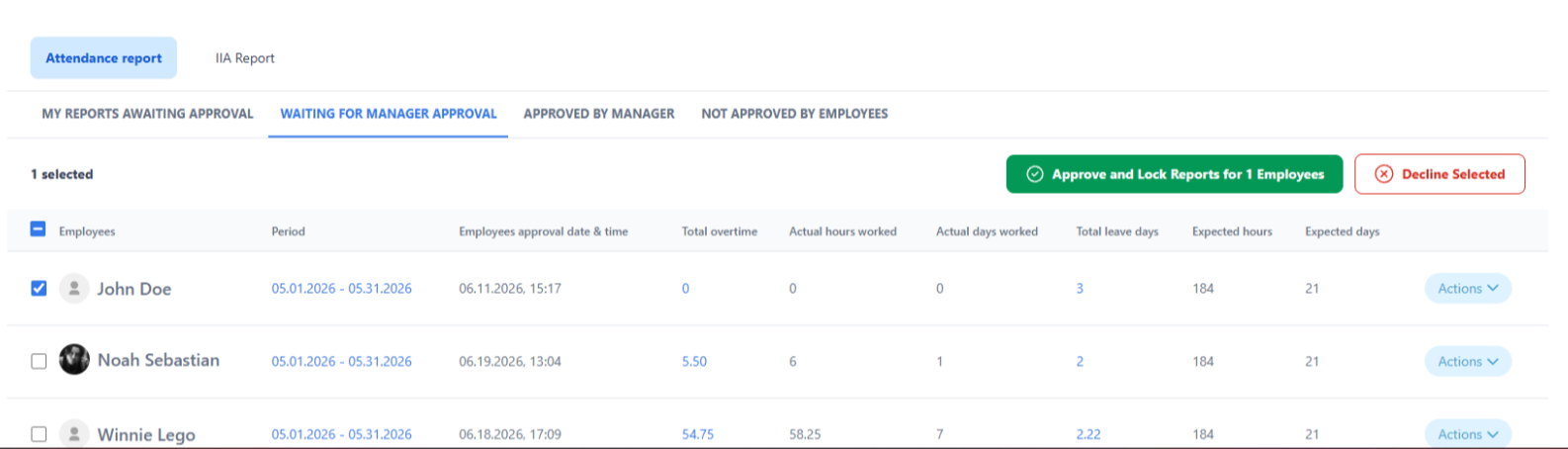
Managers can now select and approve multiple attendance reports in a single action. Instead of opening each report individually, you check the ones you want and approve them all with one click. End-of-month approval that used to take an hour now takes minutes - especially useful for teams with 50+ employees.
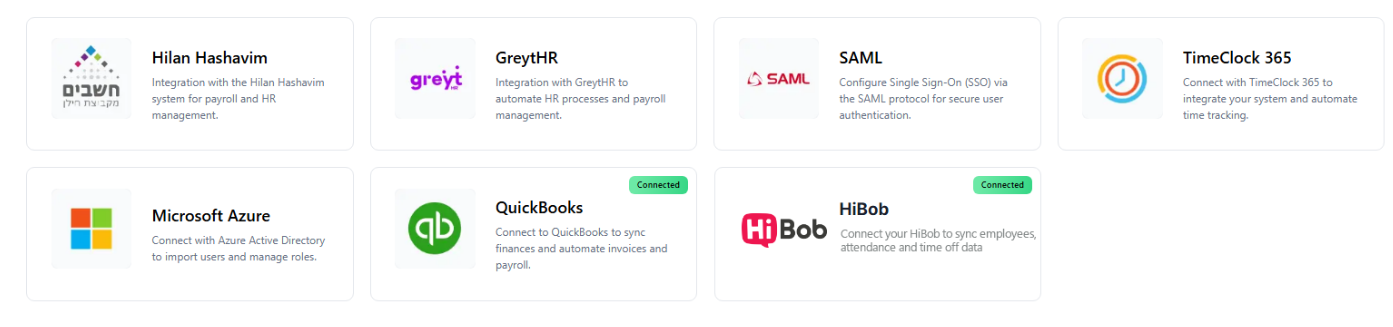
A redesigned integrations hub lets you connect TimeClock 365 to payroll, HR, and ERP systems from a single screen. Connect QuickBooks, HiBob, Microsoft Azure, GreytHR, SAML SSO, and more. Each integration shows live sync status so you always know if data is flowing correctly.
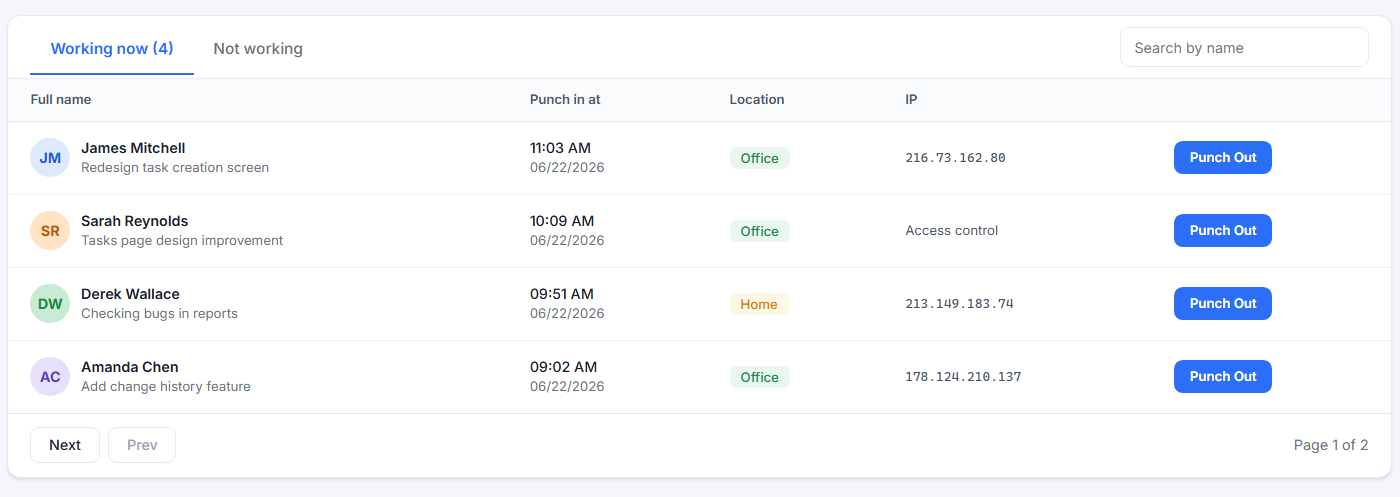
Managers now have a dedicated live view showing exactly who is currently clocked in, their punch-in time, location (office or remote), and IP address. A separate "Not Working" tab shows who hasn't punched in yet - with a direct Punch Out button for each employee right from the list.
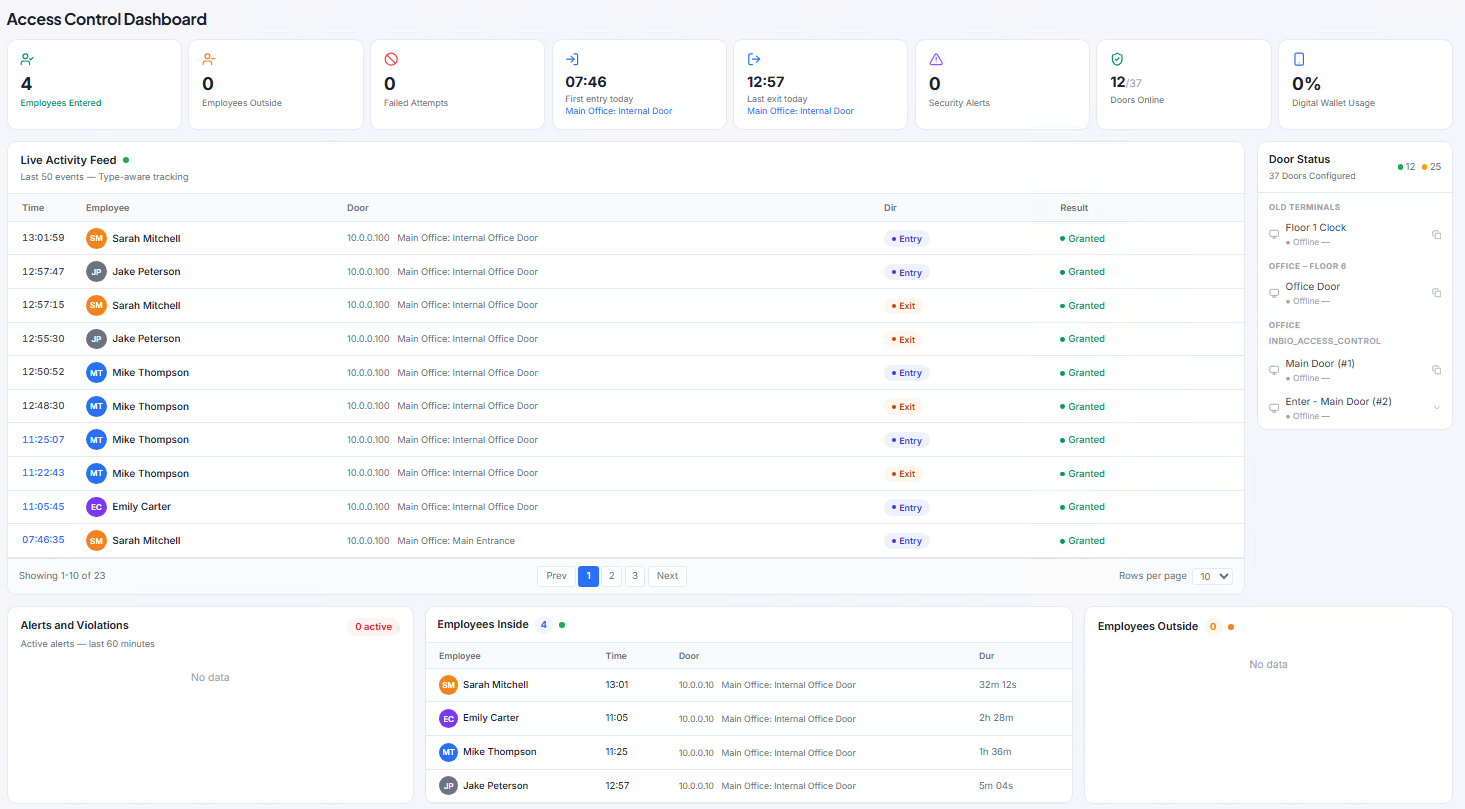
The new Access Control dashboard gives security managers a live overview of every door event across the facility. See who entered or exited, which door was used, whether access was granted or denied, and how long each employee has been inside - all updating in real time. Alerts and violations appear instantly, with door-by-door status shown in the sidebar.
Major updates ship every quarter. Smaller improvements and bug fixes are deployed continuously without any downtime or action required from your side.
No. TimeClock 365 is fully cloud-based. All new features appear in your account automatically - no software to install or update.
Yes. With the new self-registration flow, employees fill in their own details directly on the terminal or app. The admin just confirms the account - no manual profile creation needed.
The dashboard works with all access control hardware supported by TimeClock 365, including Inbio controllers and compatible RFID/biometric terminals. Door status updates in real time over the cloud.
Bulk report approval is available through the cloud interface. Managers can select and approve multiple reports from any device with a browser - desktop or mobile.
Book a short demo and we'll walk you through every new feature live.
Book a Demo