
Free time clock software: the full platform for 14 days
Not a stripped-down free plan. Test every feature with your real team - clock-in, overtime, approvals and payroll export - and decide with real numbers.
- 14 days, all features
- No credit card
- ISO 27001 certified
Free time clock app or free trial?
Free time clock apps are fine for a handful of people. As soon as you need overtime rules, manager approvals or a file your payroll system accepts, the free plan usually stops.
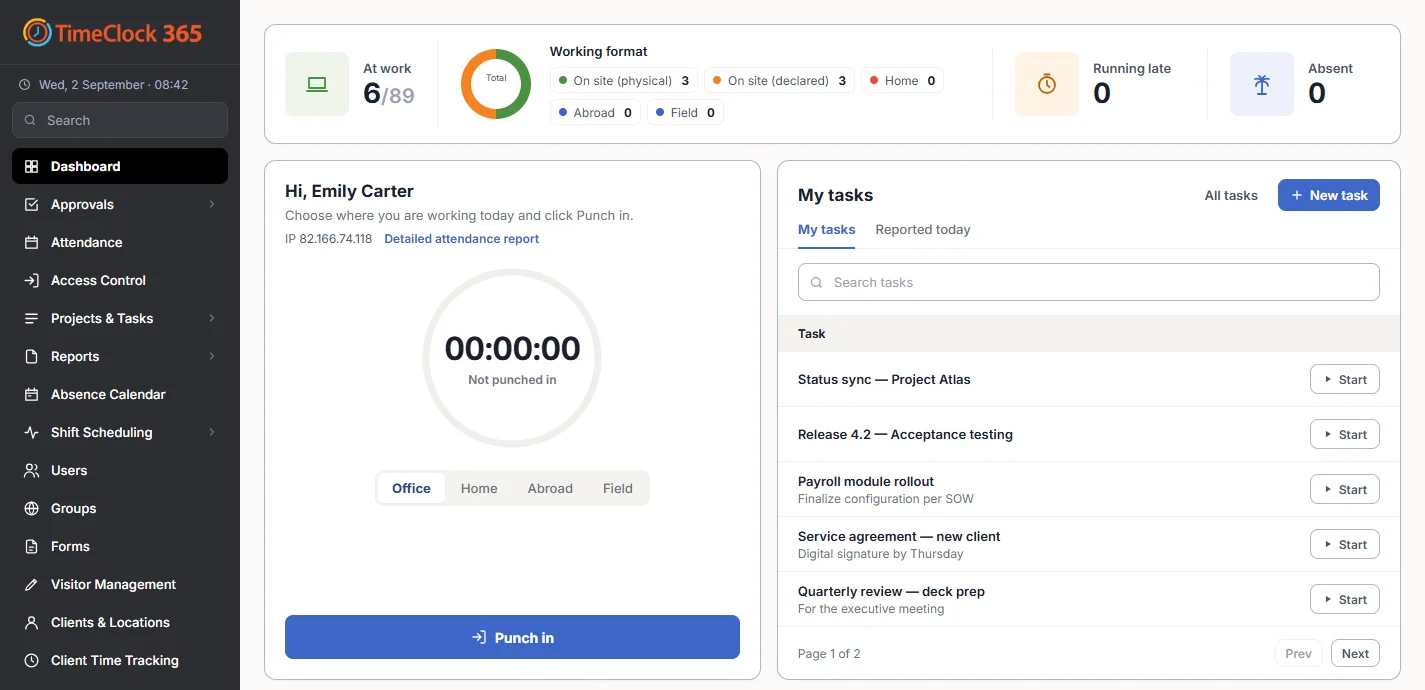
TimeClock 365 takes the other route: the complete, ISO 27001 certified platform free for 14 days. If it saves you hours on payroll in the trial, you'll know it's worth it.
Included in the trial
Everything, from the first punch to payroll
Clock in anywhere
Web, iOS and Android apps, Microsoft Teams, Slack and the Chrome extension.
GPS & geofence
Mobile punches carry a location and can be limited to a job site.
Overtime & breaks
Calculated automatically from each employee's contract.
Approvals
Managers approve timesheets and fix missed punches before payroll.
Time off
Leave requests and balances in the same system.
Payroll export
Send approved hours to QuickBooks, HiBob and more.
Get started
Up and running the same day
No download, no server, no IT project.
- 1
Sign up
Create your account - no credit card.
- 2
Add employees
Invite your team and assign work contracts.
- 3
Clock in
Employees punch in from the web, phone, Teams or Slack.
- 4
Run a report
See hours, overtime and absences - ready for payroll.
Main product
Attendance straight from the door
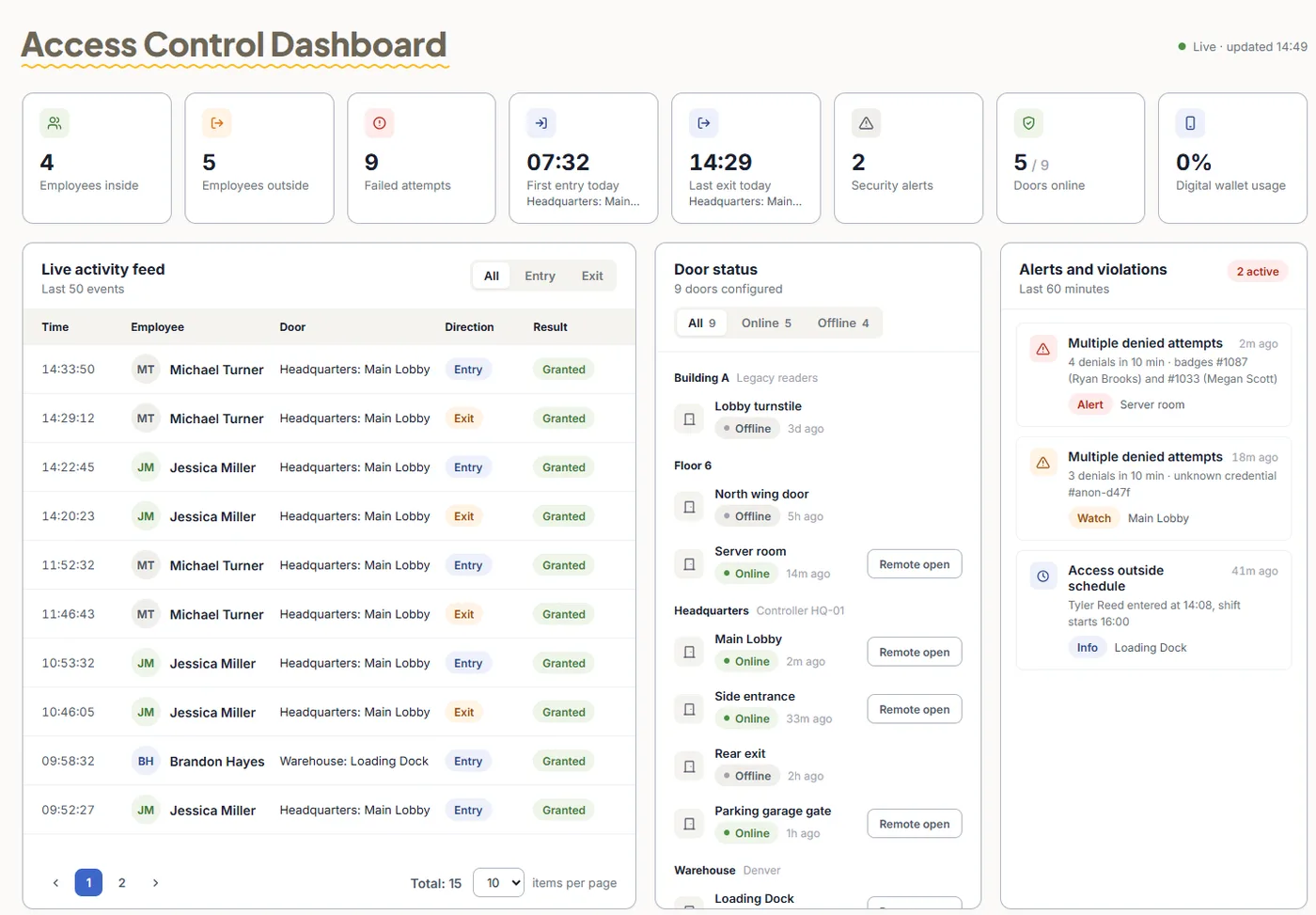
TimeClock 365 is first a cloud door access control system. When employees open the door with a card, phone or fingerprint, that entry can start their workday - no separate clock-in, no buddy punching.
- Cards, fobs, mobile wallet keys and biometric readers
- One account for doors and attendance
- Live access log for every door and site
After the trial
Simple per-user pricing
| Plan | Price per user / month |
|---|---|
| Door access control | $1.90 |
| Attendance | from $3.90 |
| Attendance + Access Control | $4.90 |
| Mobile wallet keys | Pricing on request |
Billed annually. See full pricing.
Frequently asked questions
Is TimeClock 365 free?
TimeClock 365 offers a 14-day free trial with full access to all features and no credit card required. After the trial, attendance plans start at $3.90 per user per month and Attendance + Access Control is $4.90 per user per month, billed annually. It is a professional time clock platform, not a permanently free tool.
Where can I get a free trial of time tracking software with full features?
TimeClock 365 gives you a 14-day free trial of the full platform: web and mobile clock-in, GPS punches, automatic attendance reports, overtime calculation, timesheet approvals, the manager dashboard and payroll export. Sign up at timeclock365.com/try-free/ - no credit card needed.
What is the difference between a free trial and a free time clock app?
Free time clock apps usually limit the number of users or leave out payroll export and reporting. A full-featured trial lets you test the complete system with your real team before paying, so the decision is based on how it works for you.
Do I need to download software?
No. TimeClock 365 is cloud-based. Managers work in the browser, and employees clock in from the web, the iOS or Android app, Microsoft Teams, Slack or the Chrome extension. Nothing to install on a server.
What happens when the free trial ends?
You choose a plan and keep all the data entered during the trial. If you do not continue, nothing is charged, because no card was required to start.
Can the trial include door access control?
Door access control needs controllers and readers at your doors, so it starts with a short demo and a quote. Door access starts at $1.90 per user per month, and attendance can be recorded straight from door entries.
Is my data safe during the trial?
Yes. Trial accounts run on the same ISO 27001 certified TimeClock 365 cloud as paying customers. TimeClock 365 is available in 12 languages and used in 20+ countries.
Related
Try the full platform free
14 days, every feature, no credit card. Or let us show you around first.