
Cloud-based door access control: manage every door from a browser
No server in the back room and no software to update. Give and take access in seconds, open any door remotely and see every entry live - for one office or a hundred sites.
- No local server
- Works offline
- From $1.90 per user
Interactive demo - tap to open the door
What is cloud-based door access control?
Cloud access control is a door access system managed from a web browser instead of a server on site. Controllers and readers at your doors connect to the cloud. You decide who can open which door and when, the rules are sent to the doors automatically, and every entry and exit is logged in one place.
Because permissions are also stored on each controller, doors keep working if the internet drops - and the events sync as soon as the connection is back.
How it works
From the door to the dashboard
- 1
Readers at the door
A controller and readers are installed at each door, gate or turnstile and connected by LAN, Wi-Fi or 4G.
- 2
Rules in the cloud
You add people and set who can enter which door and when - from any browser.
- 3
Sent to every door
Changes reach the controllers automatically and are stored on them, so doors work offline too.
- 4
Every entry logged
Each event is recorded with person, door, method and time - and can count as a clock-in.
Cloud vs on-premise
Cloud-based vs on-premise door access control
| On-premise access control | Cloud access control (TimeClock 365) | |
|---|---|---|
| Where it runs | A server and software on site | The cloud - any browser, anywhere |
| Making changes | On the server PC, on site | From anywhere, sent to the doors automatically |
| Updates and backups | Your IT team | Included |
| Several buildings | Usually a system per site | All sites in one account |
| Remote unlock | Often not possible | One click in the web portal |
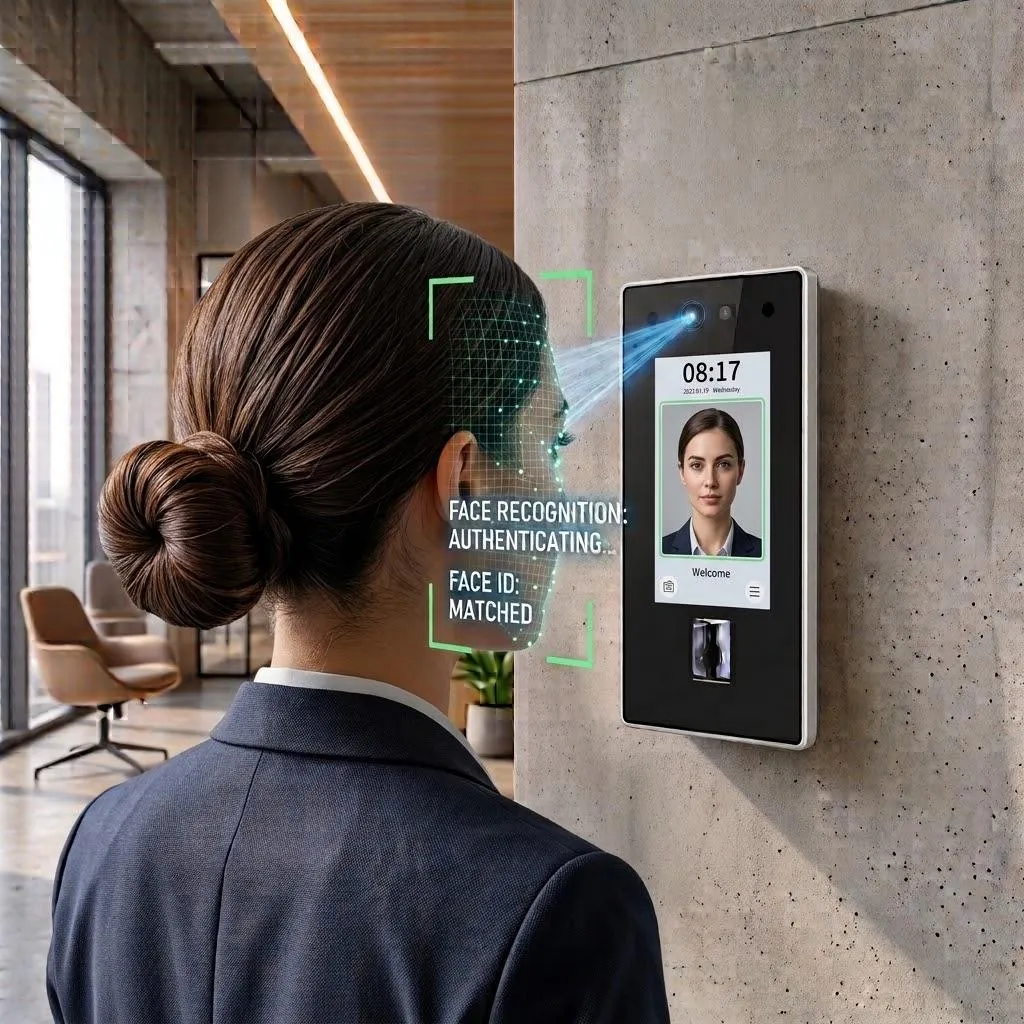
| Credentials | Mostly plastic cards | Mobile wallet, cards, fingerprint, face, PIN |
| Internet outage | - | Doors keep working, events sync later |
| Attendance | A separate system | Built in - door entry can be the clock-in |
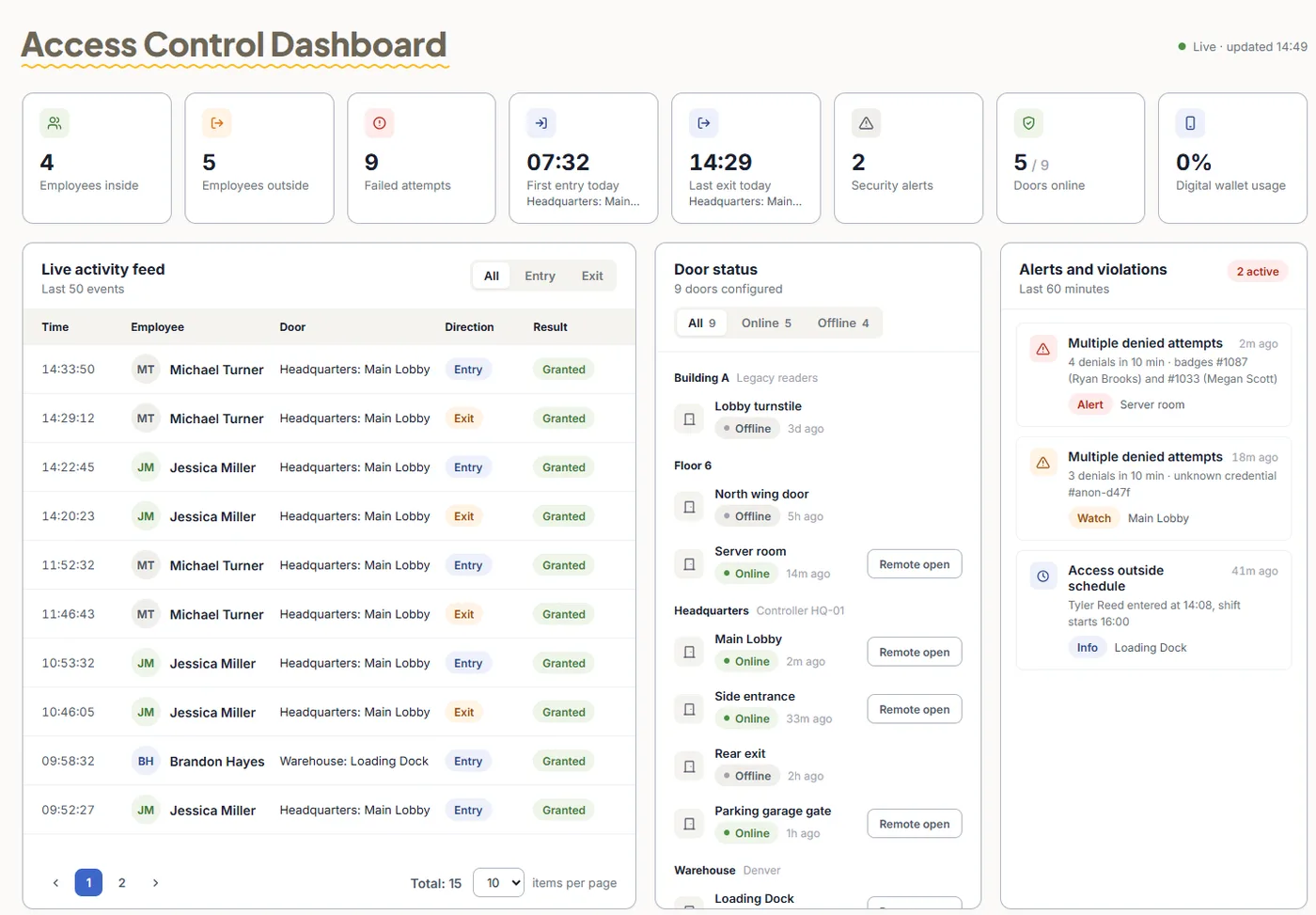
One live screen
Your whole building in the browser
Who's inside, which doors are online, failed attempts and alerts - updated in real time, with a Remote open button for every door.
What you get
Everything a modern access system should do
Remote unlock
Open any door from the web portal for a courier, a guest or a locked-out employee.
Instant revocation
Deactivate a person and their access is removed from every door - no keys to collect.
Offline fallback
Permissions live on the controller, so doors keep working without internet.
Multi-site
Group doors by building or branch and manage them all together.
Schedules & holidays
Allow entry only during working hours and close doors on holidays.
Alerts
Repeated denied attempts and doors held open are flagged immediately.
Security
Is cloud access control secure?
Your access rules and logs are only as safe as the system that holds them. TimeClock 365 is independently certified and gives admins fine control over who can change what.
- ISO/IEC 27001:2022 certified and GDPR compliant
- Encrypted data and a full audit log of every access event
- Admin roles - only authorized people change permissions
- SSO and two-factor login for the web portal
Pricing
Cloud door access control from $1.90 per user / month
Billed annually. Add attendance for $4.10 per user in total. Mobile wallet keys are an add-on - pricing on request. Door hardware is quoted per building.
Frequently asked questions
What is cloud-based door access control?
Cloud-based door access control is a door access system that is managed from a web browser instead of a local server. Door controllers and readers connect to the cloud, permissions are set online and sent to the doors, and every entry is logged centrally.
What is the difference between cloud and on-premise access control?
On-premise systems run on a server and software installed on site, so changes are made on that PC and each building usually has its own system. Cloud access control is managed from any browser, changes reach every door automatically, and all sites live in one account.
Does cloud access control work without internet?
Yes. With TimeClock 365, users and their permissions are stored on the controller, so doors keep working during an internet outage. Access events are saved on the device and sync to the cloud when the connection returns.
Is cloud access control secure?
TimeClock 365 is ISO/IEC 27001:2022 certified and GDPR compliant. Data is encrypted, admin roles control who can change permissions, and every access event is logged for audits.
Can I open a door remotely?
Yes. An administrator can open any door from the web portal - for example for a courier, a guest or an employee who forgot their card.
Can I manage several buildings?
Yes. Group doors by building, floor or branch and manage every site from one dashboard, with its own permissions and door status.
How much does cloud access control cost?
TimeClock 365 Door Access Control starts at $1.90 per user per month, billed annually, including card and fob access. Mobile wallet keys (Apple Wallet and Google Wallet) are an add-on - pricing on request. Hardware is quoted per building based on the number of doors.
Can door entries be used for attendance?
Yes. Because access control and attendance share one account, the first entry of the day can start the workday and the last exit can end it.
Related
Ready to move your doors to the cloud?
Book a 30-minute demo and get a quote for your building.