
Employee access control: who can go where, and when
Give each team the doors it needs, for the hours it needs them. When someone joins, moves team or leaves, their access changes with them - automatically, on every door.
- Access groups
- Time schedules
- Instant offboarding
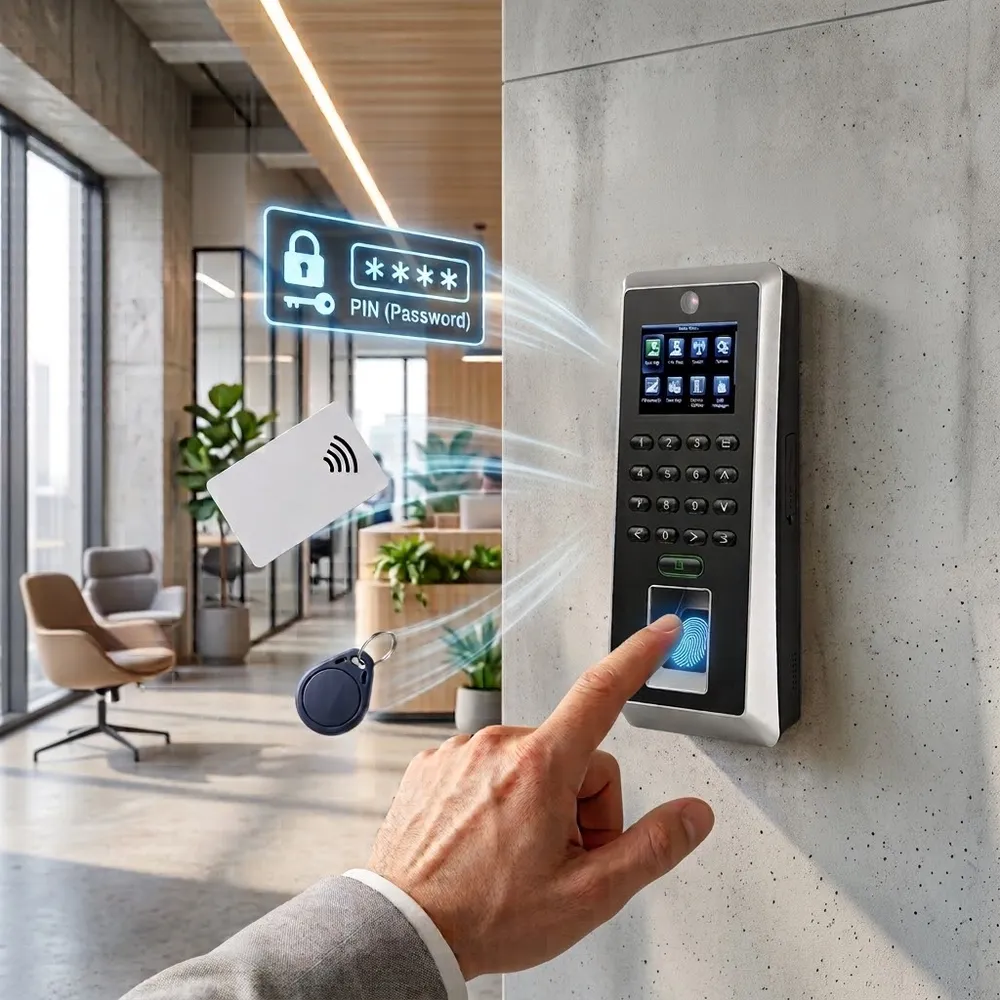
What is employee access control?
Employee access control decides which employees can open which doors, and at what times. Instead of copying keys or managing a spreadsheet of cards, you define access once - by team, door and schedule - and the system applies it to every door.
Every entry and exit is recorded, so you always know who was where, and when.
Permissions
Rules that follow your org chart
Access groups
Warehouse staff to the loading dock, IT to the server room, everyone to the main entrance.
Schedules & holidays
Entry only during working hours, closed on holidays, open during reception hours.
Multi-factor doors
Card + fingerprint for server rooms, stock rooms and other sensitive doors.
Instant offboarding
Deactivate once - access is removed from every door and site.
Alerts
Access outside an employee's schedule and repeated denials are flagged.
Audit trail
Filter entries by date, door or employee and export for audits.
Lifecycle
From first day to last day - access follows the person
- 1
Joins
Added in TimeClock 365 or synced from Azure AD, Okta or HiBob - and put in a group.
- 2
Gets access
The group's doors and hours apply automatically. Enroll a card, fingerprint, face or wallet key.
- 3
Moves team
Change the group - access to the old area closes, the new one opens.
- 4
Leaves
Deactivate once and every door stops letting them in. History stays for audits.
Visibility
Know who's inside, right now
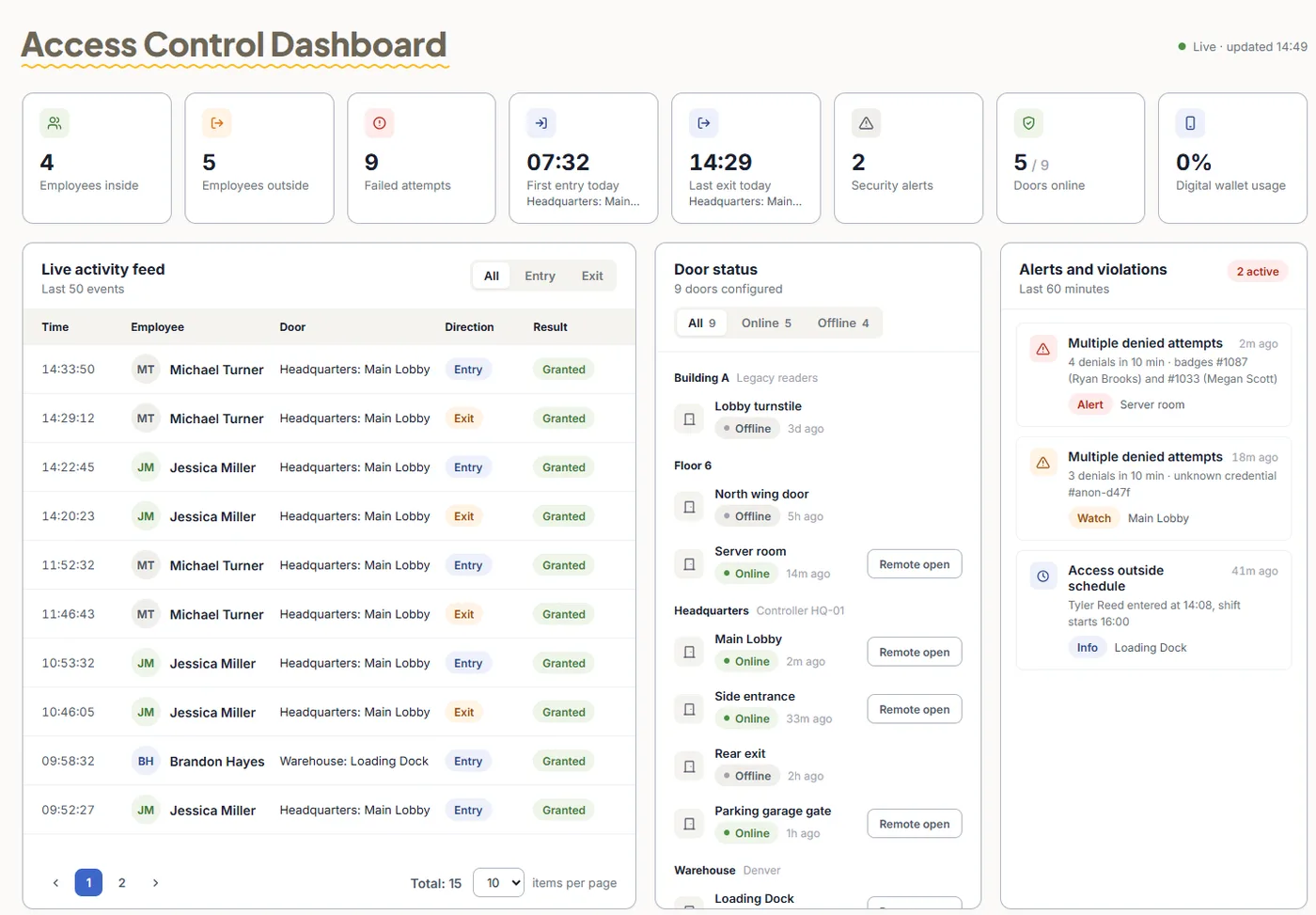
The Access Control Dashboard shows who is inside and outside, a live feed of entries, failed attempts and alerts - useful for headcounts, emergencies and investigations.
- Employees inside / outside at a glance
- Live activity feed with person, door and result
- Failed attempts and violations highlighted
Where it helps
Common scenarios
Offices
Everyone at the entrance, only managers to the finance room, IT to the server room.
Manufacturing & warehouses
Shift-based access to production areas and loading docks, with entries used as attendance.
Healthcare & labs
Audit trails for medication and storage rooms, multi-factor at sensitive doors.
Retail chains
Each store's staff to their own store, area managers to all of them.
Contractors
Access only to the work area, only for the project dates.
Visitors
Time-limited access to selected doors with Visitor Management.
Access + attendance
One entry, two records
With Attendance + Access Control ($4.10 per user / month), the first entry starts the workday and the last exit ends it. Door access on its own starts at $1.90.
Frequently asked questions
What is employee access control?
Employee access control decides which employees can open which doors and at what times. Instead of handing out keys, you give each team access to the doors it needs, and every entry is logged.
How do I give a team access to certain doors only?
Put employees in groups and give each group access to specific doors - for example warehouse staff to the loading dock, IT to the server room. Changes are sent to the doors automatically.
Can access be limited to working hours?
Yes. Set time schedules so doors open only during working hours, block entry on holidays, or keep a door unlocked during reception hours.
What happens when an employee leaves?
Deactivate them in TimeClock 365 and their access is removed from every door - including contractors whose project has ended. There are no keys or cards to chase.
Can employee lists sync from our HR or identity system?
Yes. Employees can be synced from Azure AD, Okta or HiBob, so new hires and leavers are reflected in door access too.
Can I see who entered a room and when?
Yes. Every entry and exit is logged with person, door, method and time. Filter by date, site, door or employee and export it for audits.
Can door entries count as attendance?
Yes. Because access control and attendance share one account, the first entry of the day can start the workday and the last exit can end it.
Related
Put the right people behind the right doors
Book a 30-minute demo and get a quote for your building.