
Employee scheduling software built into your time clock
Plan repeating shifts once, assign your team, and see the schedule next to real punches - from the door, a biometric clock or the mobile app.
- Repeating patterns
- Day & night shifts
- ISO 27001 certified
What is employee scheduling software?
It plans who works which shift and when. On its own, a schedule is only a plan. Connected to the time clock, it tells you who arrived on time, who didn't, and what to pay.
TimeClock 365's Shift Management module puts scheduling in the same system as attendance and door access - no exports between tools.
Shift Planner
Build a schedule in three steps
- 1
Shift types
Code, color, start and end time - for example Morning, Evening, Night.
- 2
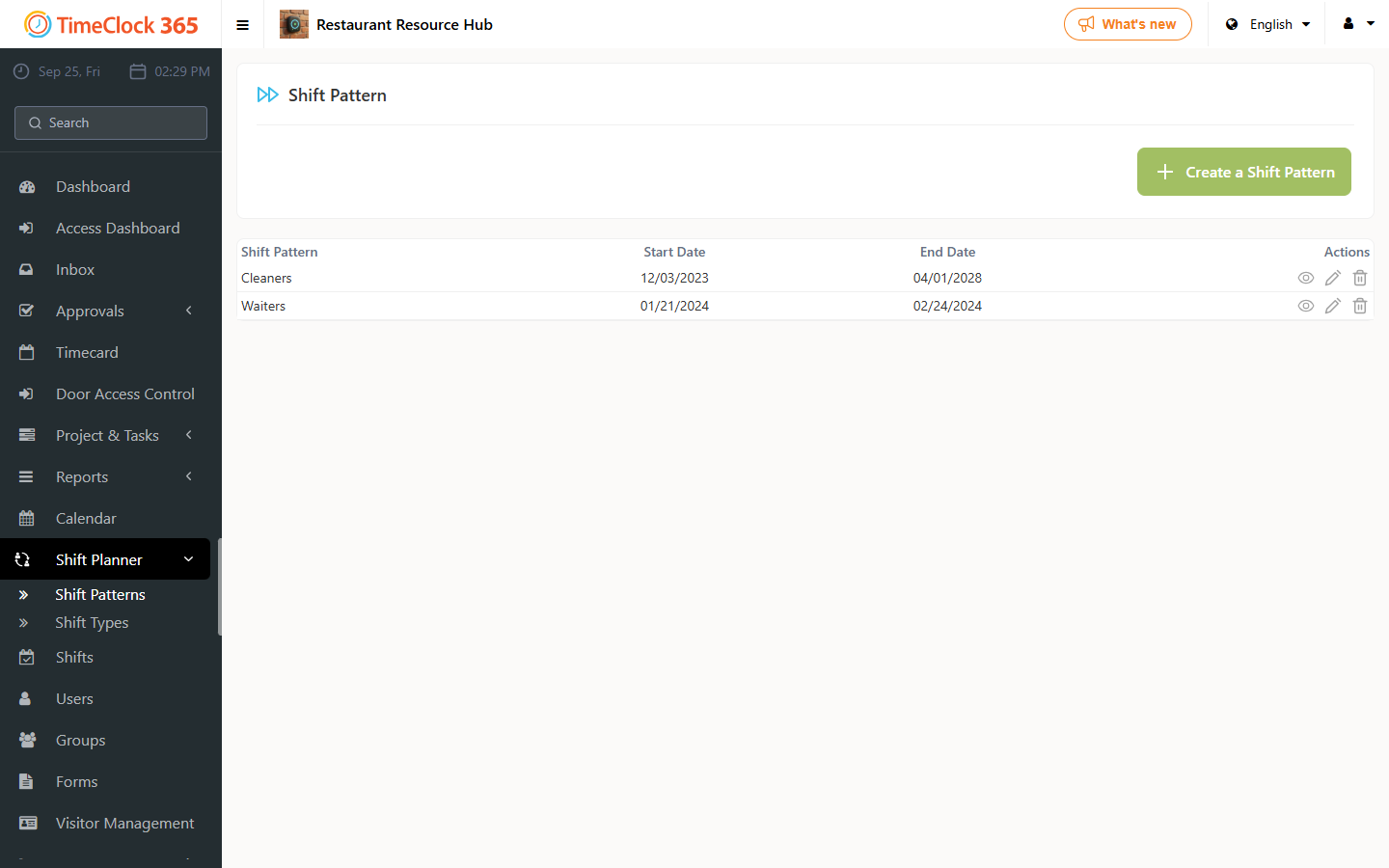
Shift pattern
Place shifts on each day, repeat the week, or duplicate and vary it.
- 3
Assign
Give each employee a pattern for a set period.
Beyond the plan
Scheduling connected to real hours
Calendar view
Shifts appear in the absence calendar. Click a day to change it.
In the attendance report
Scheduled shifts next to actual punches in the Detailed Attendance report.
Day & night split
Classify hours by shift and download a report split by shift.
Night overtime
Separate overtime rules for night hours in the work agreement.
Shift bell
Biometric clocks ring at shift start, breaks and end of day.
Field teams
Mobile punches with GPS and geofence per site.
Main product
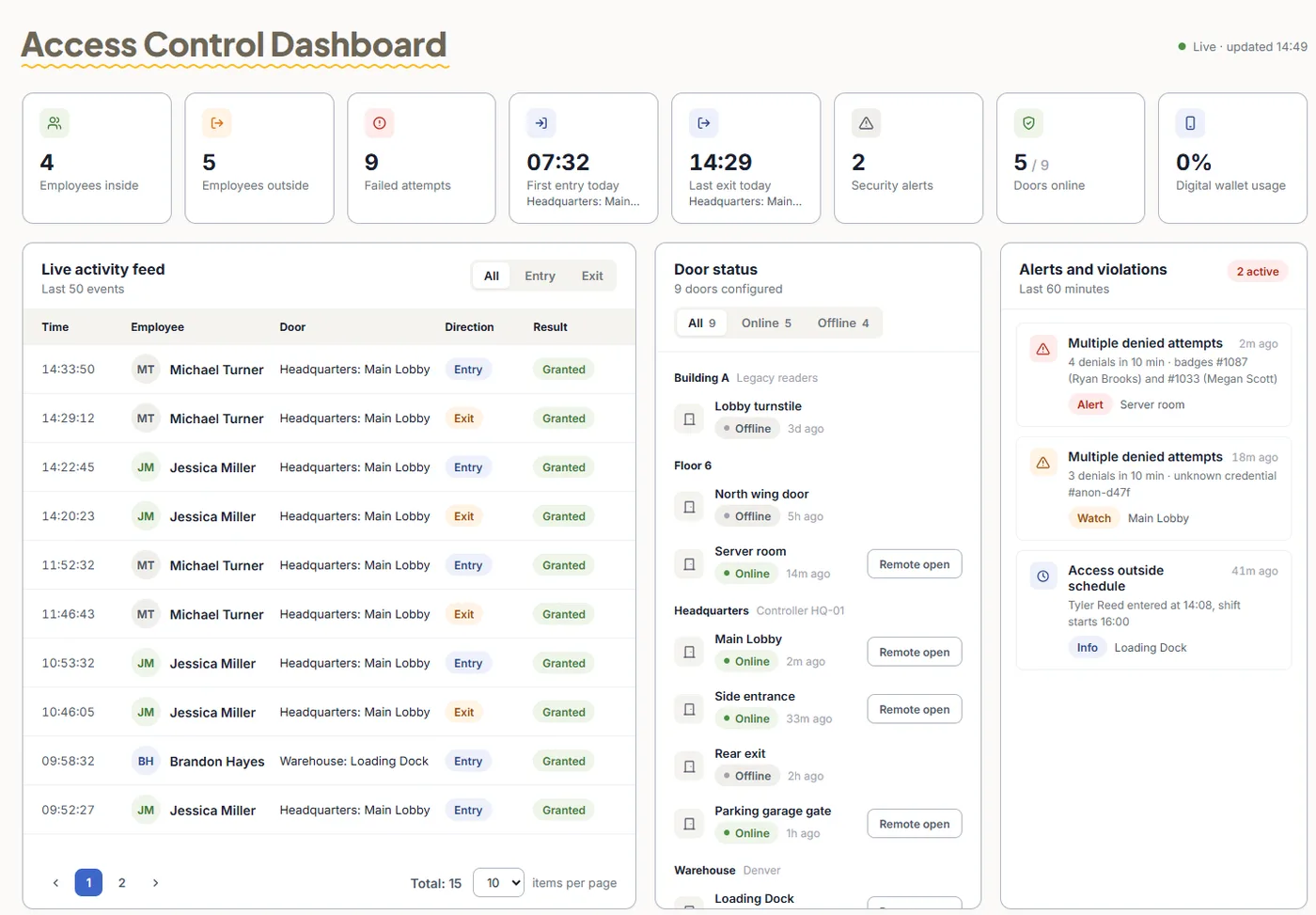
The door knows who showed up
TimeClock 365 is first a cloud door access control system. When staff open the door with a card, phone or fingerprint, that entry can start their workday - so you see arrivals against the shift without a separate clock-in.
- Cards, fobs and mobile wallet keys
- Fingerprint and face readers
- Multiple sites in one account
Pricing
Door access control from $1.90 per user / month
Attendance from $3.90, Attendance + Access Control $4.90 per user / month, billed annually. Shift Management is an add-on - pricing on request.
Frequently asked questions
Does TimeClock 365 include employee scheduling?
Yes. The TimeClock 365 Shift Management module lets managers create shift types, build repeating shift patterns and assign employees to them. It is a paid add-on to TimeClock 365 attendance. Shifts appear in the absence calendar and in the Detailed Attendance report.
How do I create a shift schedule?
Go to Shift Planner → Shift Types and create each shift with a code, a color, a start and end time and optional notes. Then go to Shift Planner → Shift Pattern, set a start date, choose how many times the week repeats and place shifts on each day. Finally open each employee under Users, open the Shift Pattern tab and assign the pattern for a period.
Can I change a single day in the schedule?
Yes. Managers see shifts in the absence calendar. Click a day and choose a different shift type for that employee.
Which scheduling tools let field teams clock in by geolocation?
TimeClock 365 combines shift patterns with mobile clock-in. Employees punch in from the iOS or Android app, every punch records its GPS location, and each site can have a geofence. Managers then compare scheduled shifts with actual punches in the attendance report.
Can I see who arrived late for their shift?
Yes. Punches from door readers, biometric time clocks, the mobile app, the web, Teams and Slack all land in one report alongside the shift, and the live dashboard shows who is at work, late or absent.
How are night shifts and overtime handled?
In each work agreement you can classify hours into day and night shifts and download a report split by shift. A Night Shift tab sets different overtime rules for night hours, for example after a set number of hours between 18:00 and 01:00.
Can the time clock ring a bell at shift change?
Yes. TimeClock 365 biometric clocks with a color screen support bell schedules: at set times they play a ringtone and can trigger an external electric bell - useful for shift start, breaks and end of day.