
TimeClock 365 international: one cloud for every country
Doors, attendance and payroll-ready hours for teams in 20+ countries - each person in their own language and time zone, all in one account.
- 12 languages
- 20+ countries
- ISO 27001 certified
Languages
Available in 12 languages
- English
- Hebrew
- Arabic
- Russian
- Spanish
- French
- German
- Portuguese
- Romanian
- Turkish
- Polish
- Ukrainian
Global teams
Built for organizations across borders
Time zones
Set per company and per employee.
Local work rules
Each employee follows their own work agreement for breaks and overtime.
Every site's doors
Cloud-managed readers at every location, one dashboard.
📤Local payroll
QuickBooks, HiBob, GreytHR, Excel, CSV and local payroll files.
🔑Single sign-on
Azure AD and Okta for every office.
ISO 27001
Certified information security, fully in the cloud.
Main product
Door access control, with attendance built in
TimeClock 365 is a cloud door access control system. Employees open doors with a card, phone or fingerprint at any site, and those entries can become attendance - no separate time clocks per country.
Explore door access control →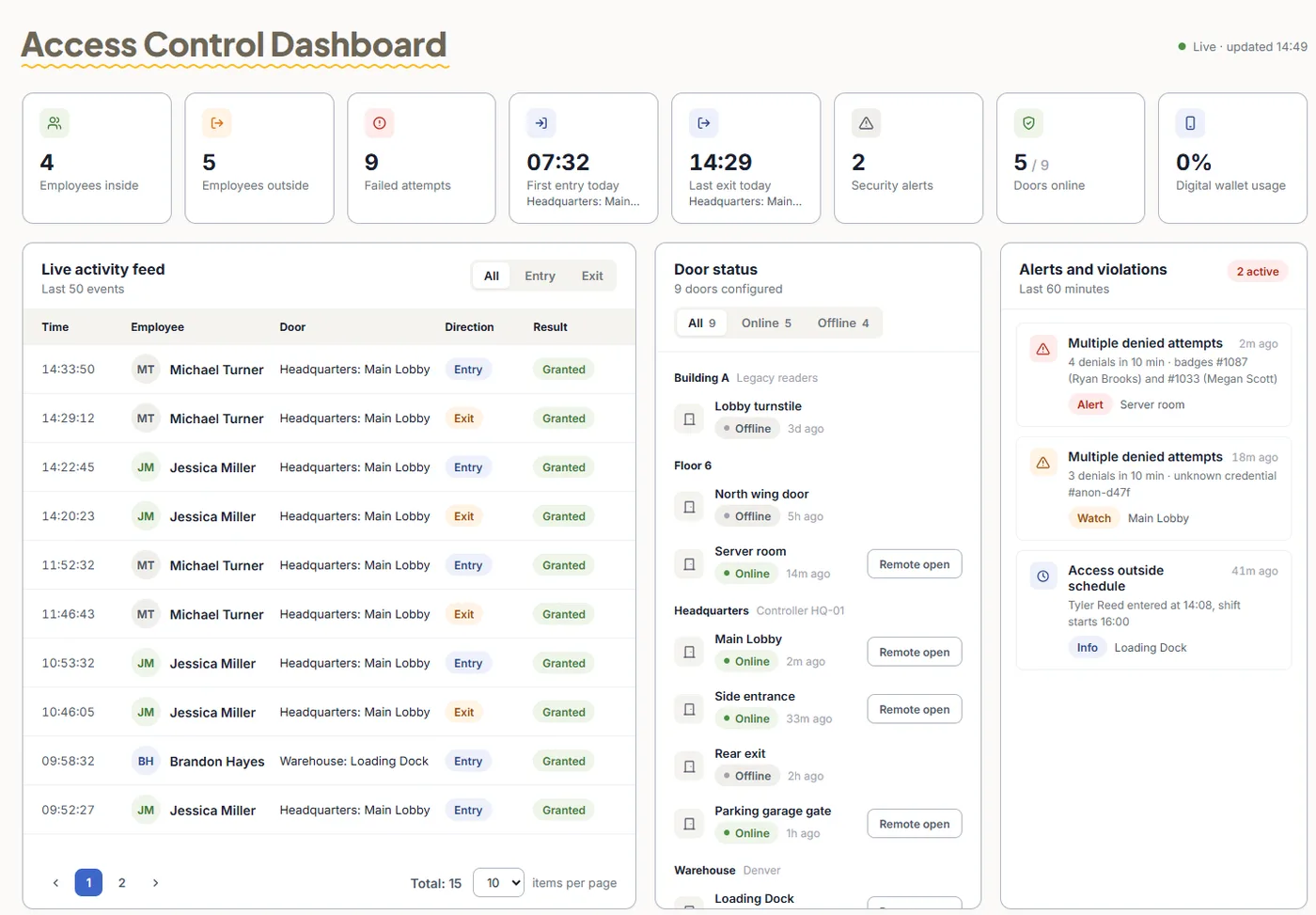
Pricing
Door access control from $1.90 per user / month
Attendance from $3.90, Attendance + Access Control $4.90 per user / month, billed annually.
Frequently asked questions
Which languages does TimeClock 365 support?
TimeClock 365 is available in 12 languages: English, Hebrew, Arabic, Russian, Spanish, French, German, Portuguese, Romanian, Turkish, Polish and Ukrainian. Each user can work in their own language.
In how many countries is TimeClock 365 used?
Organizations in more than 20 countries use TimeClock 365 for cloud door access control and time and attendance. Israel is its primary market, alongside customers worldwide.
Can one account cover employees in different time zones?
Yes. Time zones can be set for the company and for each employee, so punches and reports show the correct local time for every location.
Can different countries have different overtime rules?
Yes. Each employee is assigned a work agreement with their own standard hours, breaks and overtime tiers (daily, weekly or monthly), so teams in different countries follow different rules in the same account. Rules are configured by you; TimeClock 365 does not set legal requirements for you.
Where do I log in to TimeClock 365?
Customers log in at live.timeclock365.com with their TimeClock 365 username and password, or with single sign-on through Azure AD or Okta. Employees can also use the mobile app, the Teams app or the Chrome extension.
Is TimeClock 365 secure for international data?
TimeClock 365 is ISO 27001 certified for information security management and runs fully in the cloud - no local servers at any site.