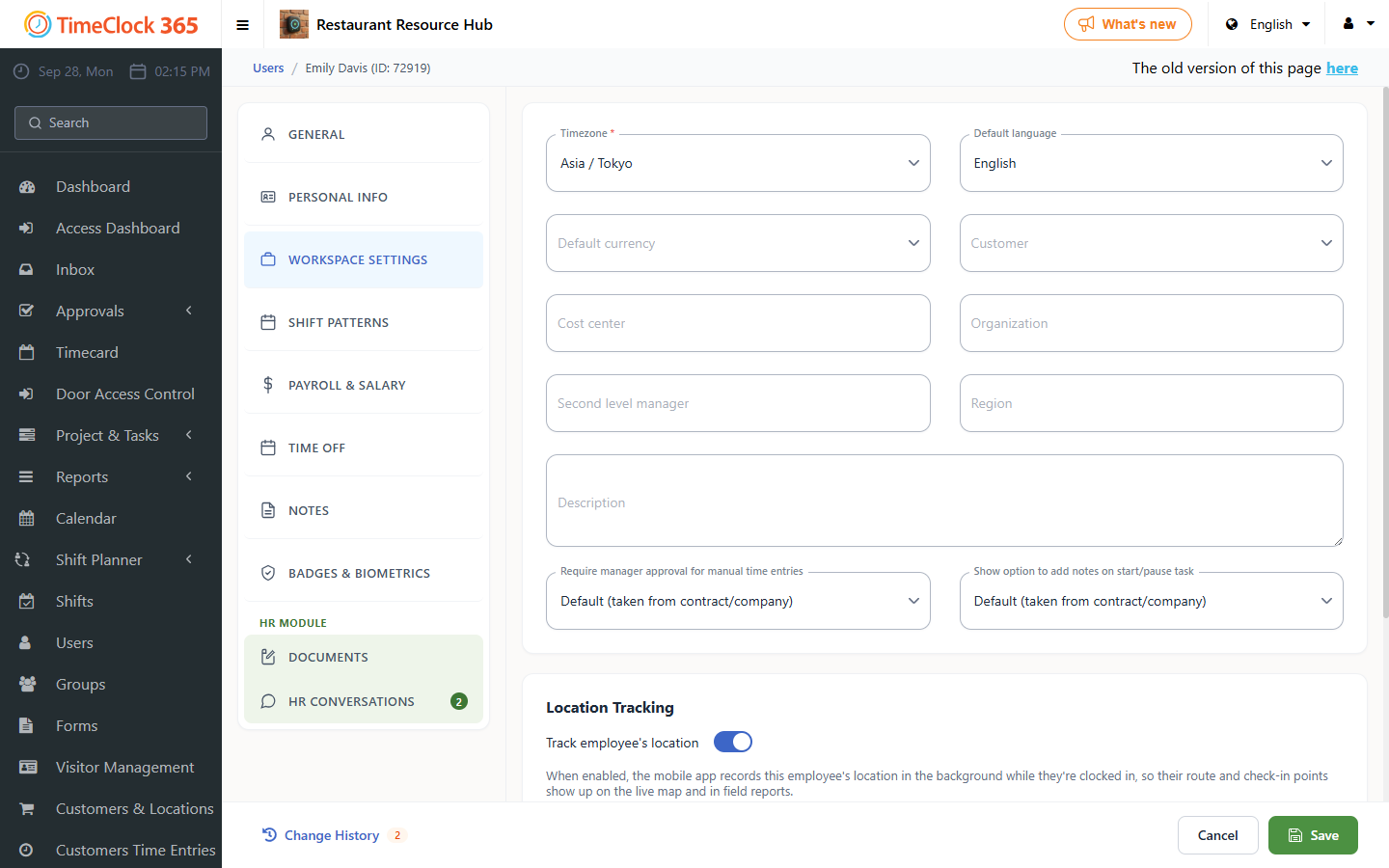
Setting the correct timezone ensures attendance data is recorded accurately, which is essential for teams across different locations. This guide explains how to change the timezone that attendance is reported from, either for the whole company or for a specific employee.
Setting the timezone for the whole company
- Go to Settings.
- Click Company Profile.
- Select the timezone.
- Click Update.
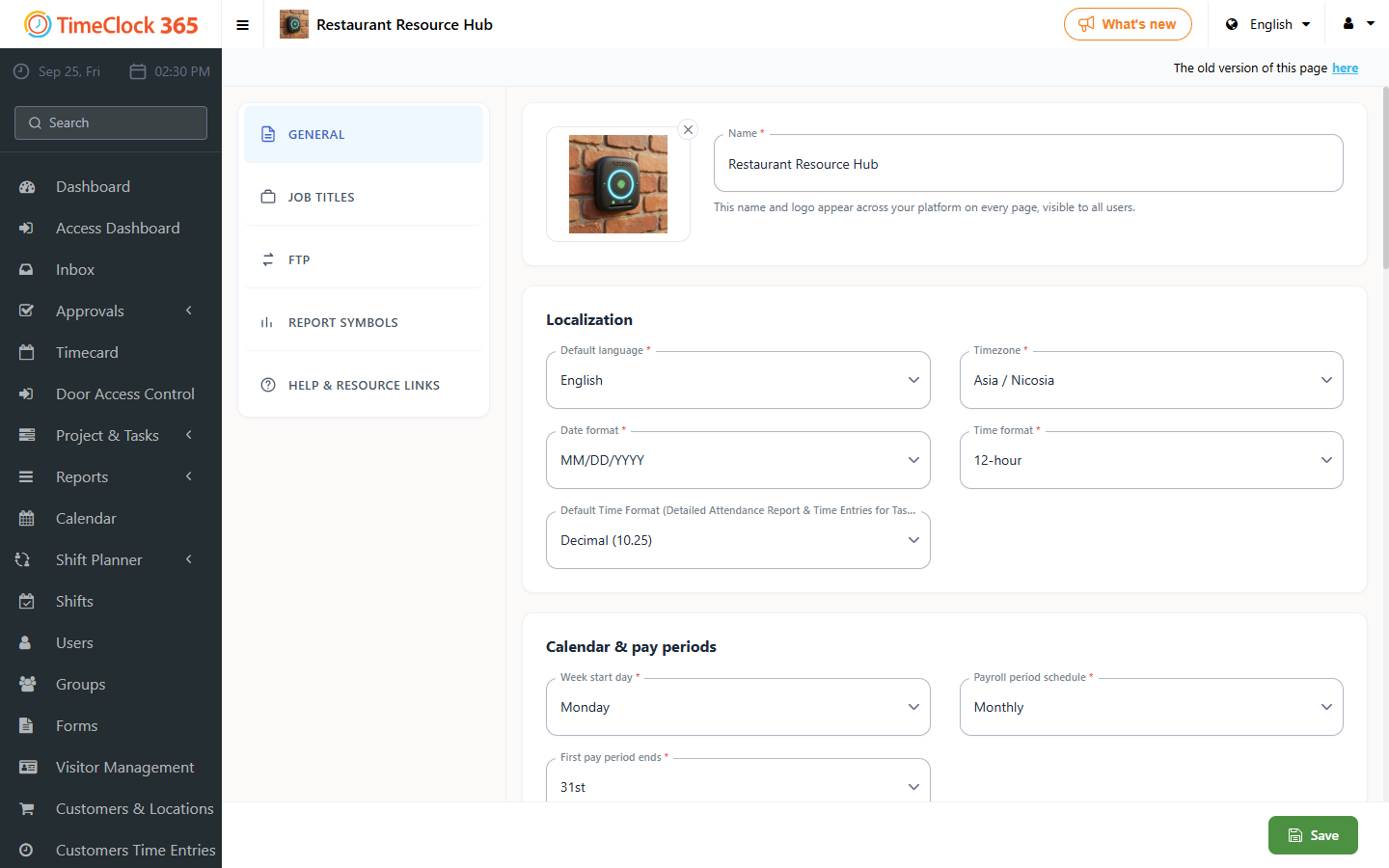
The company timezone is the default for all users.
Setting the timezone for a specific employee
An employee timezone overrides the company default, which is useful for remote employees in different regions.
- Go to Users.
- Click the employee whose timezone you want to change.
- Scroll down and open the "Contact Details" tab.
- Select the timezone.
- Scroll to the bottom and click Save.