
HiBob time and attendance, connected
Keep HiBob as your HR system and let TimeClock 365 record the hours. Employees and time off stay in sync, and attendance reports reach HiBob in one click.
- Employee sync
- Time off sync
- ISO 27001 certified
Why add TimeClock 365 to HiBob?
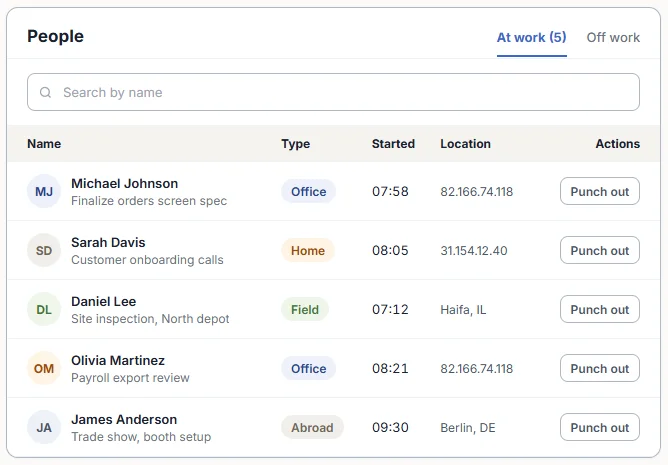
HiBob manages people. TimeClock 365 captures when they actually work - at the door, on a biometric clock, in the app or in Teams - and applies overtime and break rules from each work agreement.
The integration means no double entry: new hires come over from HiBob, leave stays consistent in both systems, and approved attendance goes back to HiBob.
What syncs
What the HiBob integration does
| Data | Direction |
|---|---|
| Employee details | HiBob → TimeClock 365 |
| Absences | HiBob → TimeClock 365 |
| New time off requests | TimeClock 365 → HiBob |
| Attendance reports | TimeClock 365 → HiBob |
| Projects and tasks | Kept organized in both |
Setup
Connect HiBob in a few minutes
- 1
Install
Settings → Integrations → HiBob → Install. Approve the permissions in HiBob.
- 2
Choose who syncs
The whole HiBob team or one group, plus a default role.
- 3
Map time off
Match HiBob leave types to TimeClock 365 categories.
- 4
Send to HiBob
From the Detailed Attendance report, click Send to HiBob.
Main product
Attendance straight from the door
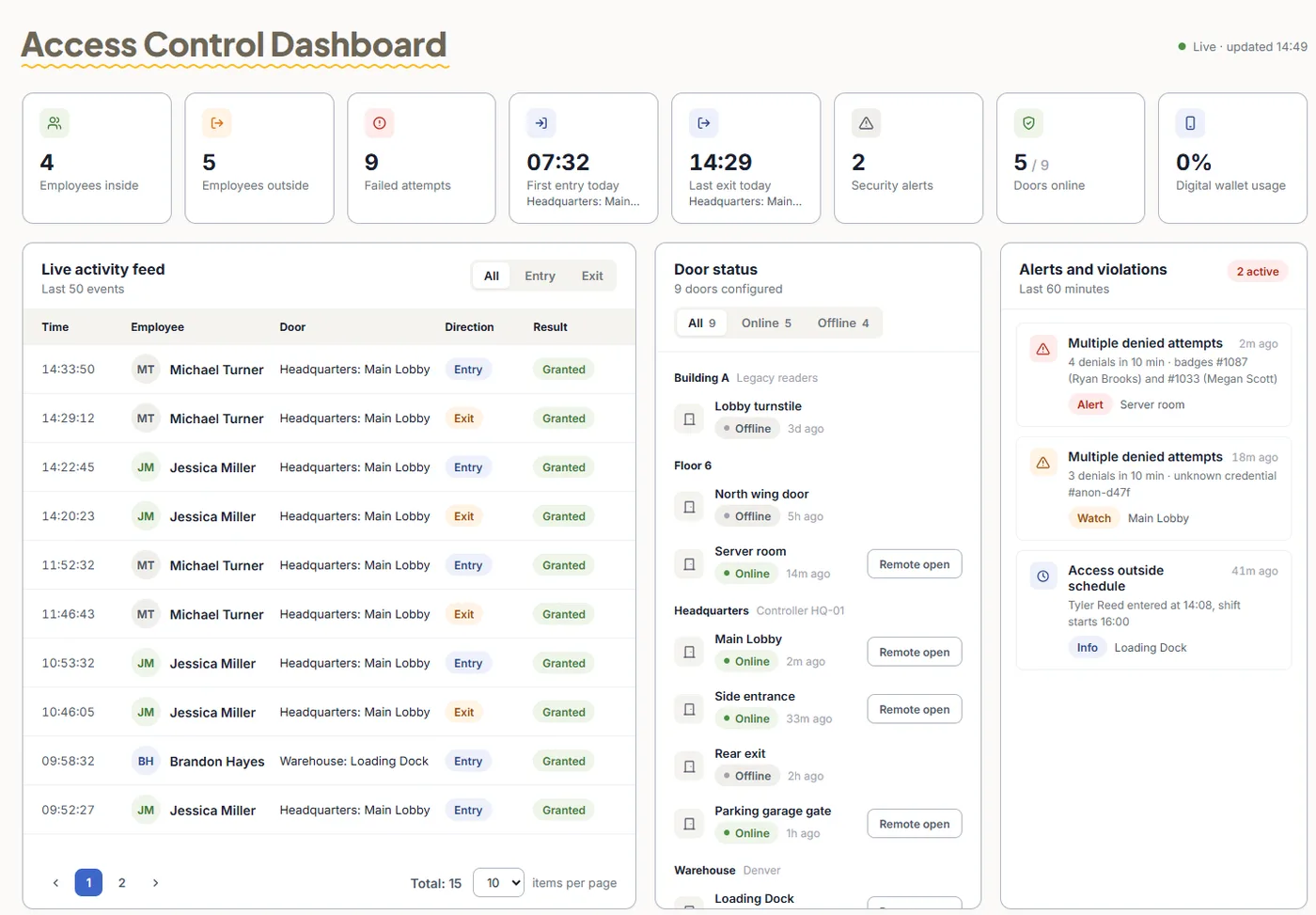
TimeClock 365 is first a cloud door access control system. Employees open the door with a card, phone or fingerprint, and that entry can start their workday - then the hours go to HiBob like any other punch.
- Cards, fobs and mobile wallet keys
- Fingerprint and face readers
- One account for doors and attendance
Pricing
Door access control from $1.90 per user / month
Attendance from $3.90, Attendance + Access Control $4.90 per user / month, billed annually. 14-day free trial, no credit card.
Frequently asked questions
Does HiBob have time and attendance tracking?
HiBob is an HR platform. Many companies pair it with a dedicated time and attendance system. TimeClock 365 connects to HiBob, records attendance from door entries, biometric clocks, the mobile app, Teams, Slack or the web, and sends attendance reports to HiBob.
How do I connect TimeClock 365 to HiBob?
Log in to TimeClock 365 as an admin, go to Settings → Integrations → HiBob and click Install. You are redirected to HiBob to connect and approve the permissions. Then choose who syncs, a default role for new employees, the sync start date and how HiBob leave types map to TimeClock 365.
What data syncs between TimeClock 365 and HiBob?
Employee details are kept up to date from HiBob into TimeClock 365. Absences are imported from HiBob, and new time off requests made in TimeClock 365 are sent to HiBob. Attendance reports are sent from TimeClock 365 to HiBob, and projects and tasks are kept organized in both apps.
How is attendance sent to HiBob?
Open the Detailed Attendance report in TimeClock 365, set the date range and click Send to HiBob. A summary shows how many records were shared. Sending is a one-time transfer for that range, so review the data first.
Can I sync only part of my HiBob team?
Yes. In the integration settings, choose whether to sync your entire HiBob team or only a specific group.
What if a record does not sync?
Usually a rule in HiBob, such as a restricted leave type, needs a small adjustment. Fix it and run the sync again. HiBob prefers records that do not overlap days already recorded there.
Is the integration secure?
TimeClock 365 is ISO 27001 certified. The HiBob connection uses only the permissions you approve in HiBob during installation.
Related
See TimeClock 365 working with HiBob
Book a 30-minute demo with our team.