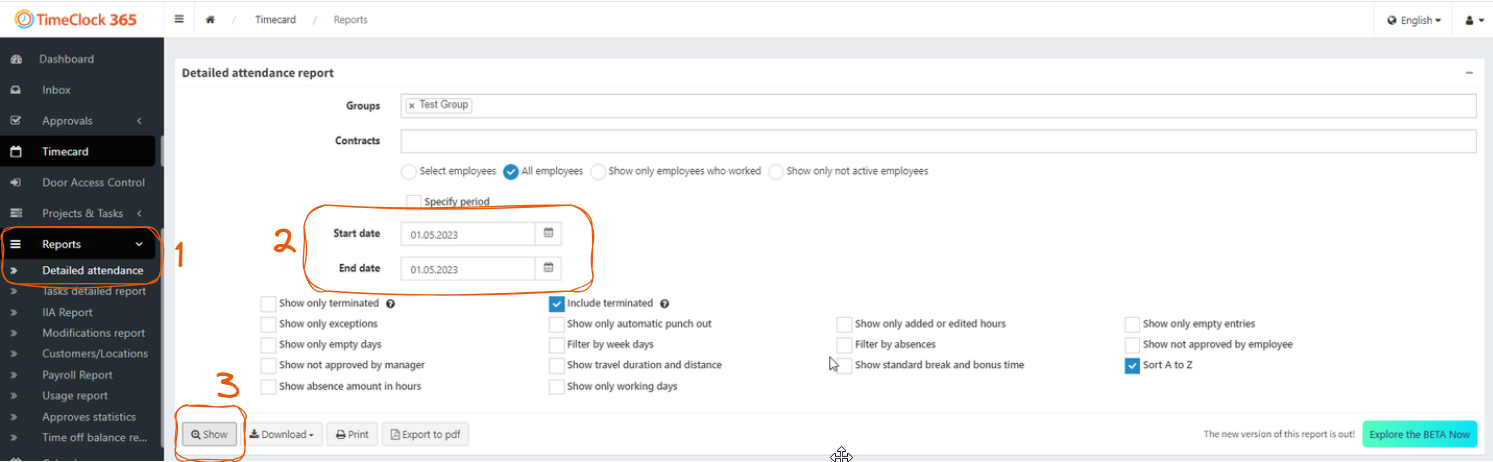
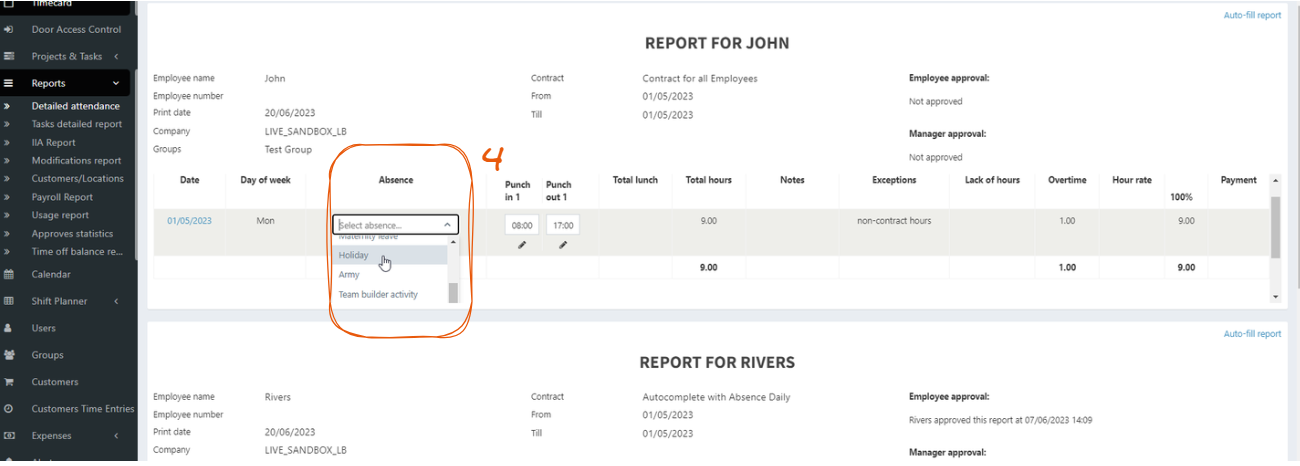
Sometimes it is necessary to mark public holidays or other types of absence for several employees at once. Here is how this can be done: Navigate to the sidebar and select Reports -> Detailed Attendance report. Set up the desired period (and/or other relevant filters if needed) Click “Show” Log the desired Absence type in the “Absence” column Repeat #3 for every employee