
This guide explains how to check whether a biometric clock or controller is synced to the internet.
- Click Settings -> Devices.
- Find the clock in the list, or search by device, door or serial number. Click a multi-door panel to expand its doors.
- Look at the "Last Heartbeat" column next to the clock you want to check. It shows when the device last connected (for example "Just now"). "Never connected" means the device has not connected yet.
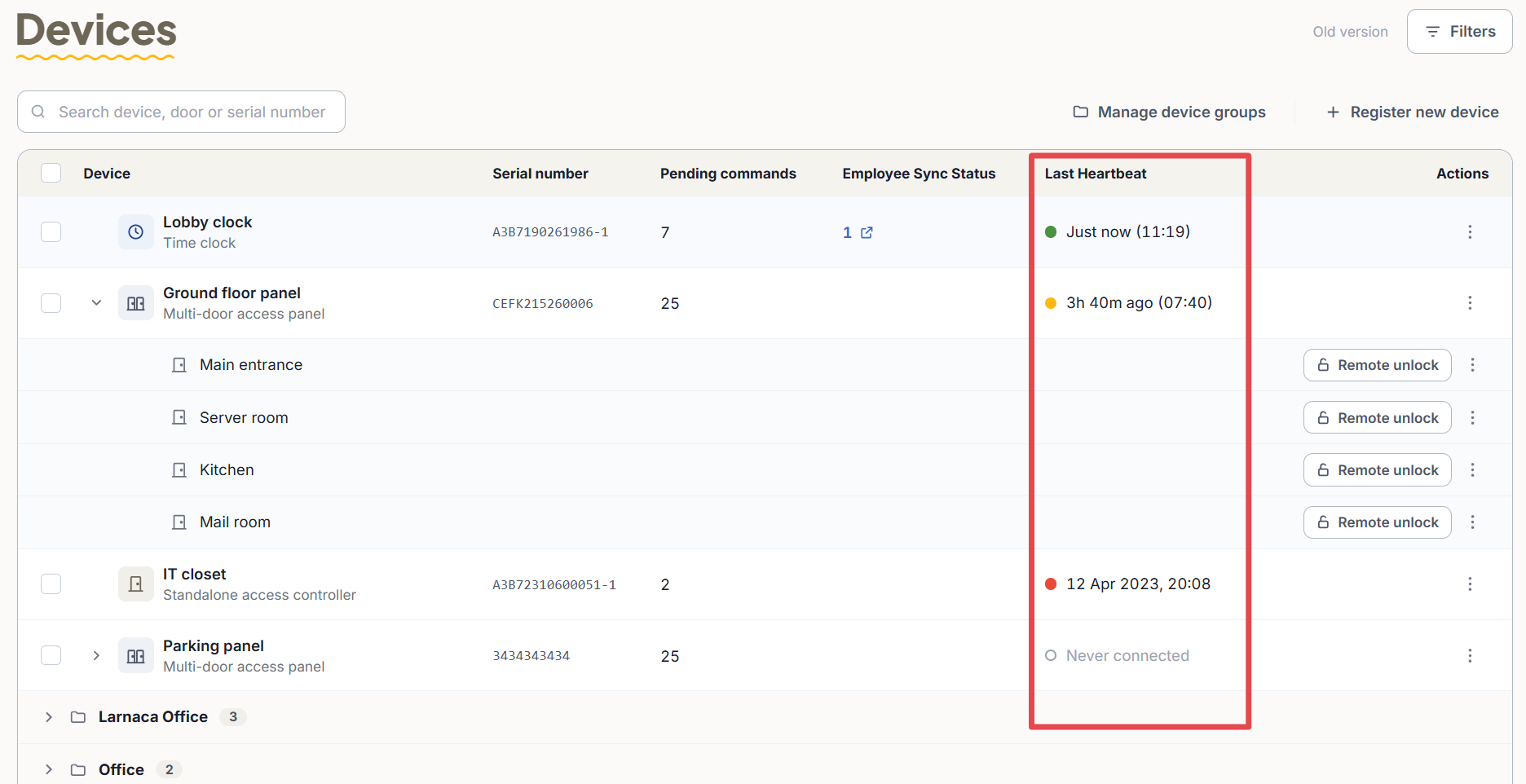
If the time shown matches when you entered this page, the clock is synced. If no recent time appears, the clock is not synced - if so, see the guide for handling an unsynced clock.
If the clock or controller is synced but you do not see an employee you added, see the related guide.