
Sometimes an employee's fingerprint is not read consistently on the time clock. Here are a few ways to reduce or fix the problem.
- Remove the protective sticker on the fingerprint reader by pulling the blue tab.
- Enroll more than one finger. A video guide covers enrolling a fingerprint for an employee in general - to add another finger, just click "Fingerprint" and choose a different finger (a finger already enrolled is shown in green).
- Clean the fingerprint reading surface and/or dry the finger before clocking in - dirty, sweaty, or wet hands often make recognition harder.
- Place a hand sanitizer station with paper towels near the time clock so employees can clean their hands before clocking in (and this is generally a good hygiene habit).
- Set up a proximity card in addition to the fingerprint and clock in with it instead. Cards can also be purchased through us.
- If none of this helps, contact us to see what else can be done. In the meantime, employees can clock in through the mobile app, the Chrome extension, or the Microsoft Teams extension.
For help, or if you would like to purchase a time clock or access controller through us, call 03-7300000.
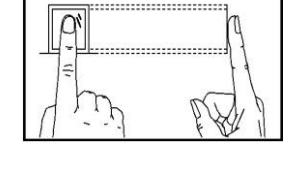
How to place the finger
Use the index, middle or ring finger - the thumb and little finger are harder for the sensor to read. Place the finger flat and centered on the sensor. Don't touch it with only the fingertip, off-center or at an angle.
Ways to verify on the clock
- Fingerprint only (1:N) - the employee just places the finger. The clock compares it with all enrolled fingerprints.
- User ID + fingerprint (1:1) - the employee types their user ID, then places the finger. Use this when a fingerprint is hard to recognize.
- User ID + password - the employee types their user ID and password instead of using the fingerprint.
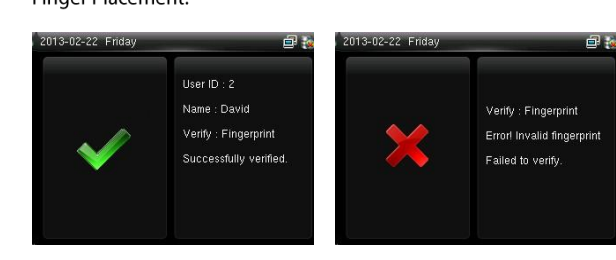
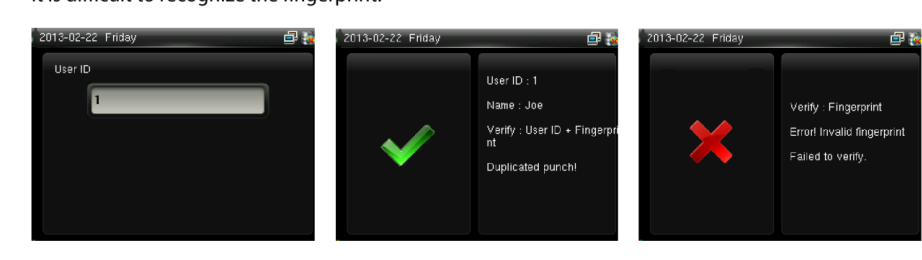
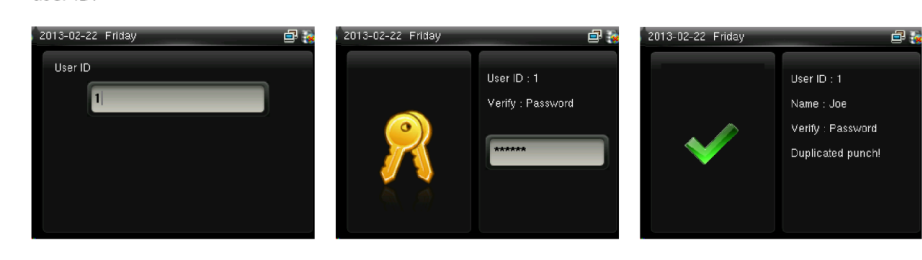
If the clock says Invalid ID, the user ID wasn't found or the user has no password enrolled. If it says Please press again, place the finger again.
To enroll another finger, a card or a password, see How to Enroll Fingerprint or Card on the Biometric Terminal.