
This guide shows how to see where employees punched in and out, on a map or as an address, from the Timecard screen.
See the punch-in location on the map
- In the menu, click Timecard.
- Choose the dates and click Search.
- In the Punch in location column, click Show on the map next to the employee. The map shows where the employee clocked in.
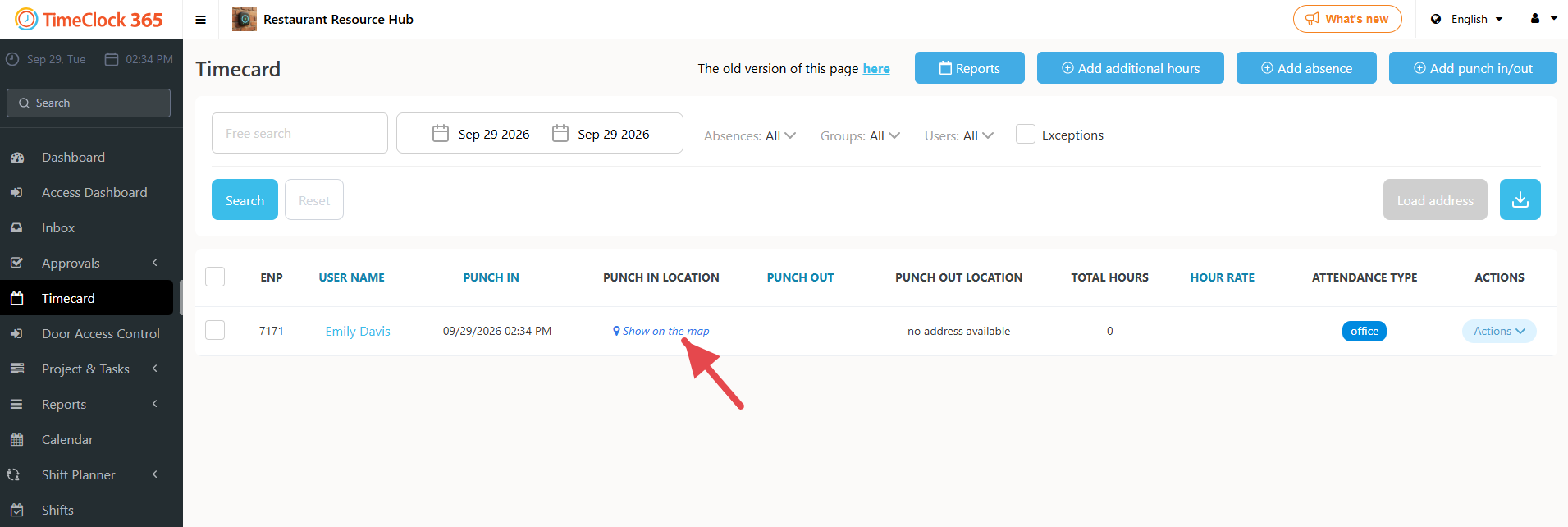
For clock-outs, use the Punch out location column the same way.
See the punch-in address
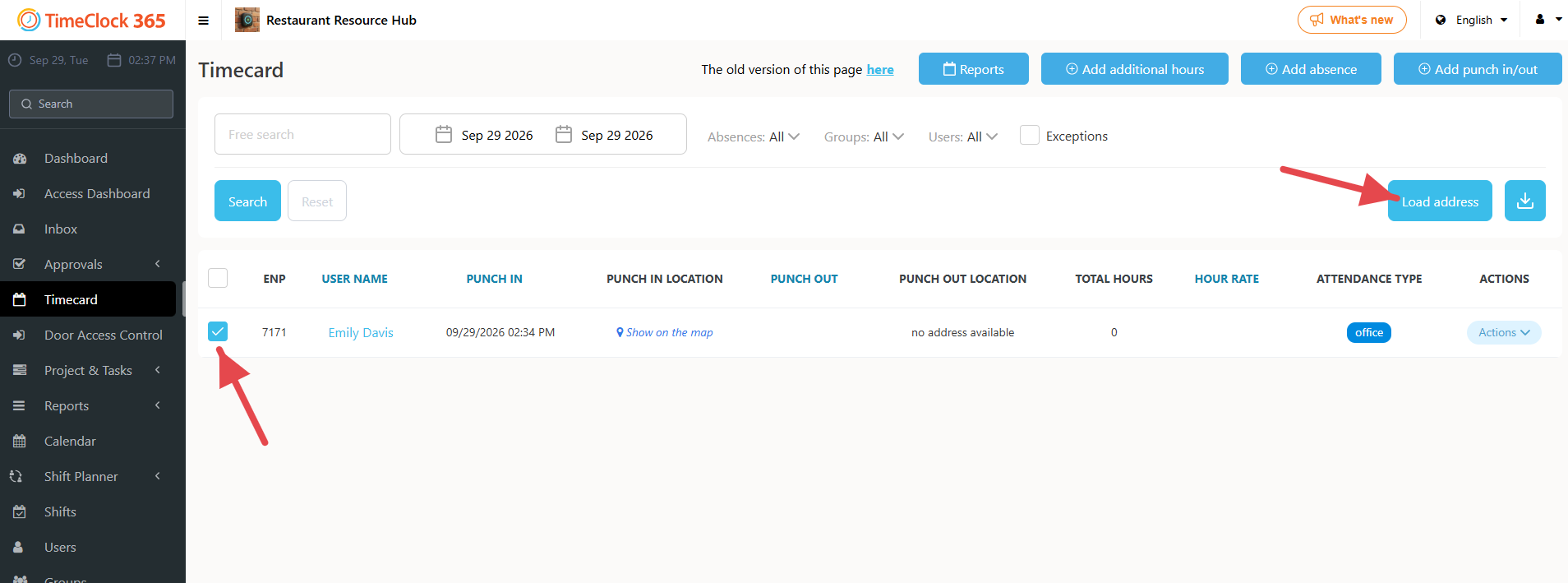
- In Timecard, check the box next to each employee row you want.
- Click Load address. The clock-in and clock-out address appears in the row.
Need help? Open a support ticket.