
The Detailed Attendance report lets you review and correct employee attendance records directly from the report screen.
How to edit an entry
- Go to Reports -> Detailed Attendance and choose the period and employee you want to review.
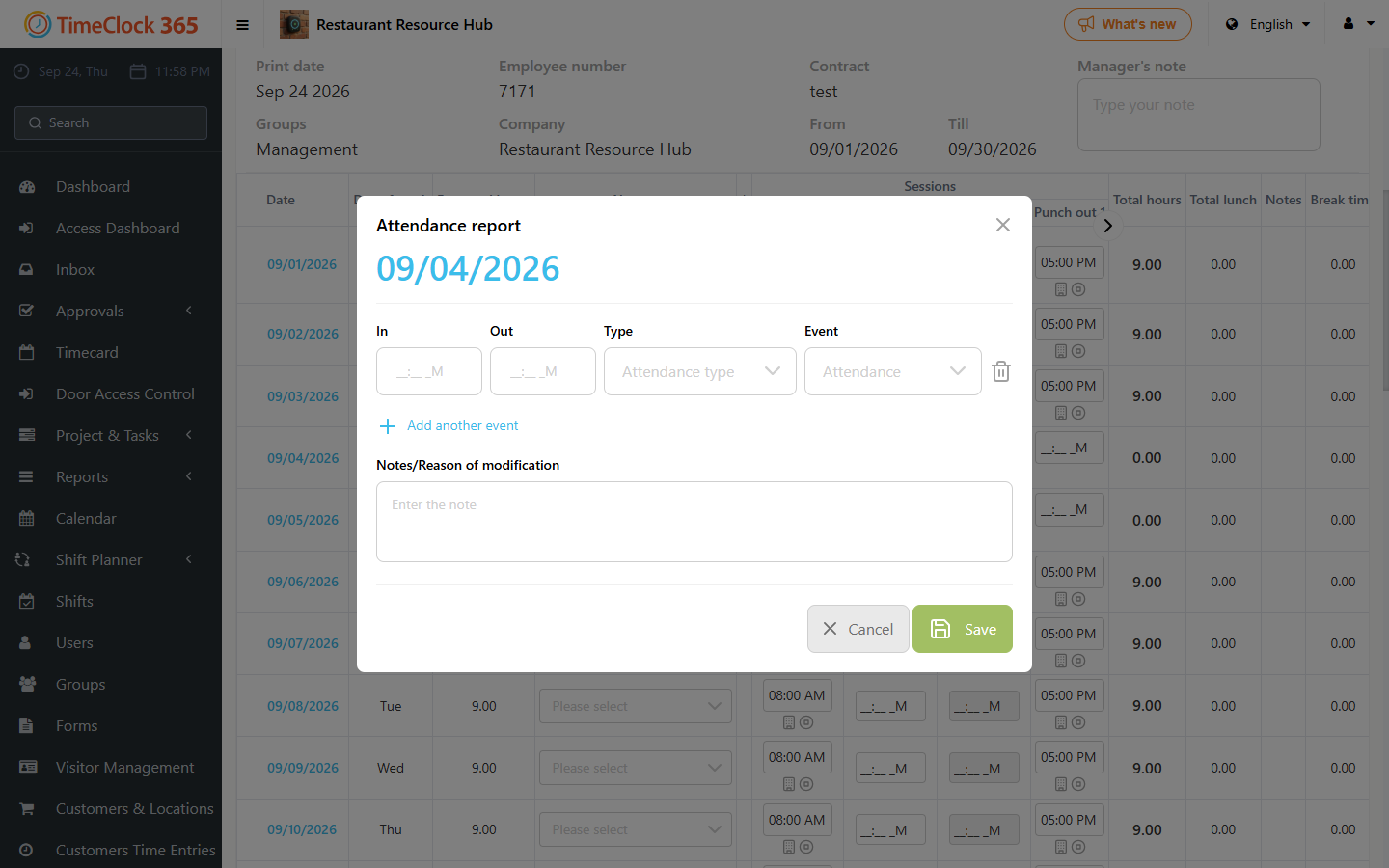
- Click the date of the day you want to edit. This opens a popup showing the entry and exit records for that day.
- Update the relevant fields (entry time, exit time, absence type, or notes) and click Save.
Quick edits in the report table
- To correct a punch time, click inside the time field (for example "Punch In"), enter the correct time and click outside the field - it saves automatically. You can also add "Punch In" and "Punch Out" times directly in the table.
- To change the attendance type, click the current type (for example "Office") and select the correct one from the list. It saves instantly.
Adding another entry or an absence
In the popup for a day you can add detailed records, record an absence, enter multiple events for the same day, and add notes. To add a time off or a second work session on the same day:
- Click "Add another event".
- Select the type (for example Sick Leave or Vacation), or enter another set of punch-in/out times.
- Choose the duration: Full Day, Half Day, or custom hours.
- Click Save. The report updates immediately.
Auto-fill
Click "Auto fill report" to fill the report automatically according to the employee's contract (for example 09:00-17:00). Access to auto-fill depends on your company settings.
From the Timecard page
- Open Timecard from the sidebar menu.
- Click "Add entry" and select "Add punch in/out" or "Add absence".
- Complete the required fields and click Save.
Employees can edit their own records this way only if they have the required permissions.
Changes made here update the attendance report immediately and are reflected in any payroll or other reports that use the same data.