
This guide explains how to set up alerts for when a user logs in or logs out of the system.
- Click "Alerts" -> "Create new alert".
- Type a name for the alert -> select which employees you want the alert to cover (you can choose "Get alerts for all users") -> select the manager who should receive the alert.
- Scroll down and open the "Administrative alerts" tab -> check what you want to be alerted about: log in, log out -> click Save at the bottom of the page.
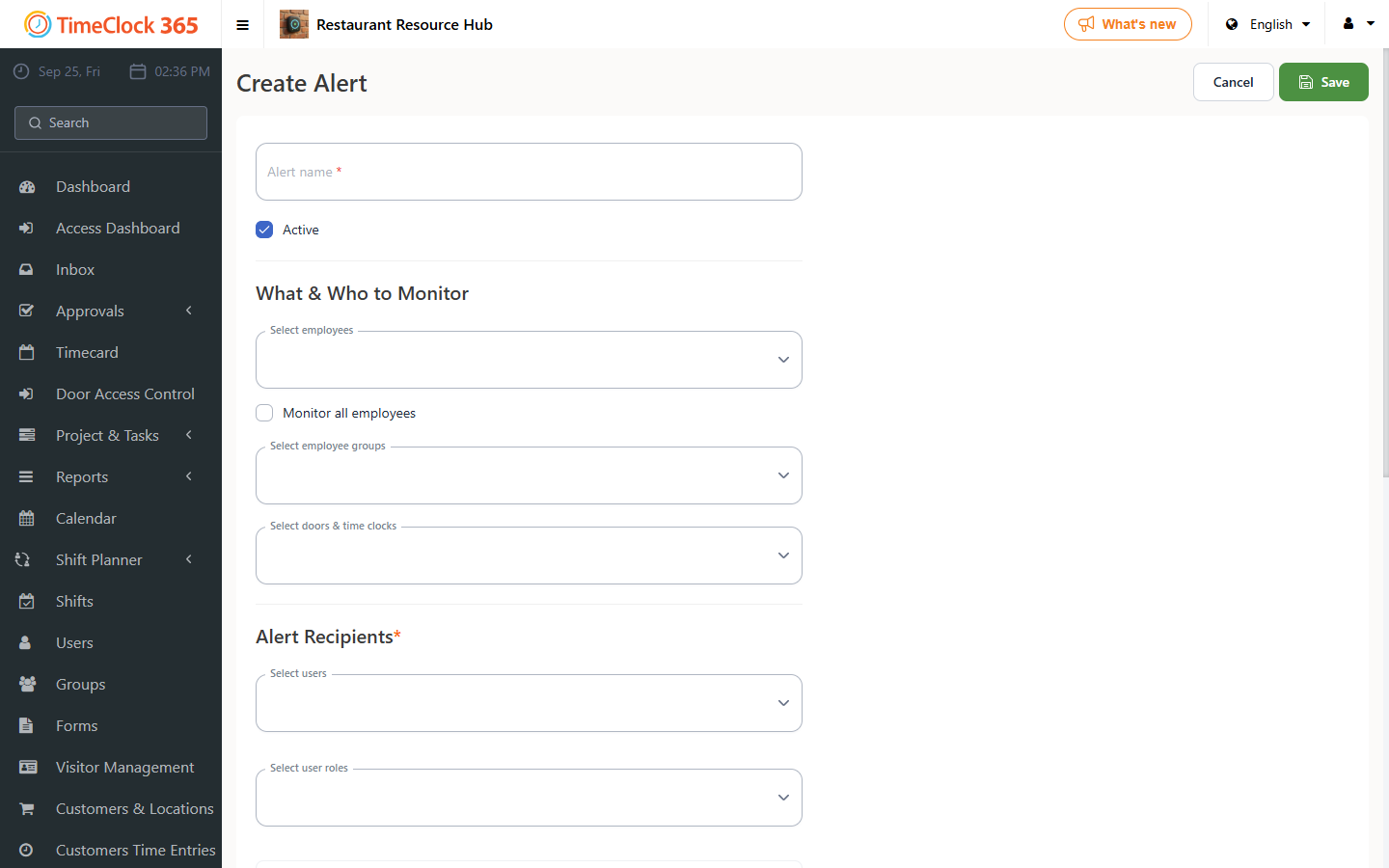
Make sure the alert is set to Active, and choose whether it watches all users or a specific group. Watchers are the people who receive the alert emails.
Other alerts in the Administrative alerts tab
Besides log in and log out, you can be alerted about retirement payments, education fund, birthdays, new hires (sent at a set time on the start date), and terminations (sent at a set time on the last day).
Alerts for managers
To send managers email alerts about their team's punch in and out activity:
- Go to Alerts and create or open an alert.
- Under Watchers, select who receives the email, for example the Group Manager role.
- Under Watchable Users, select who is monitored, for example All Users.
- Save.
- Watchers must have permission to view other users, or they will not receive the alerts.
- Group Manager watchers with All Users works automatically once groups are created, group managers are assigned and employees are placed under them.