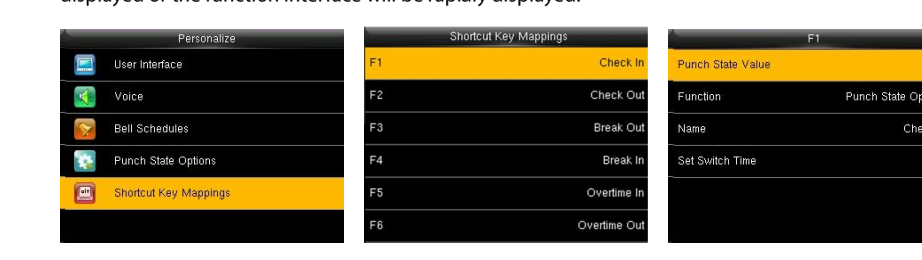
This guide explains how to set up the biometric terminal to automatically toggle between clock-in and clock-out at a set time on chosen days.
- Go to the menu -> "Settings".
- Select "Shortcut Key Mapping".
- Click "Clock-In" -> "Auto Toggle Setting".
- Click "Select Days" to mark which days you want the toggle to apply to, then go back to the previous screen.
- Enter each day separately to set the time at which the terminal switches to "clock-in" mode.
For an overview of punch states and modes, see Punch States on a Biometric Clock.